Mahabad Sat–Wed 8:00–18:00 · Thu 8:00–14:00 info@ra-parsian.ir
Rayan Afzar ParsianEnterprise, financial and industrial software Request a demo
Industry, production & maintenance

Zana CMMS

Computerised maintenance management system — web and mobile

From breakdown reports and work orders to preventive maintenance (PM), equipment records, workshop, spare parts, work permits and MTTR/KPI reports — for factories, utilities and municipalities, on desktop and mobile.

  • Web
  • phone and tablet (installable)
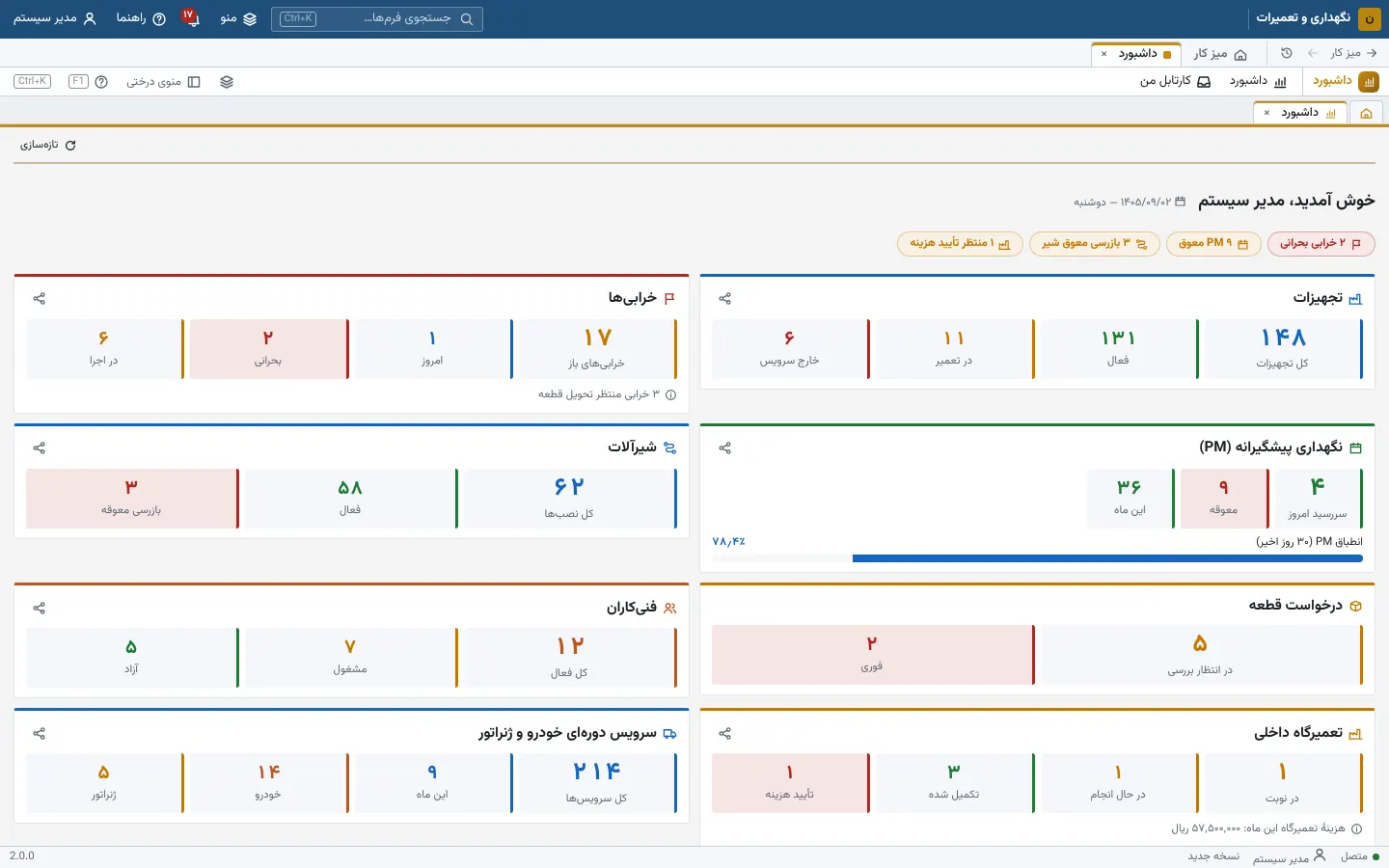
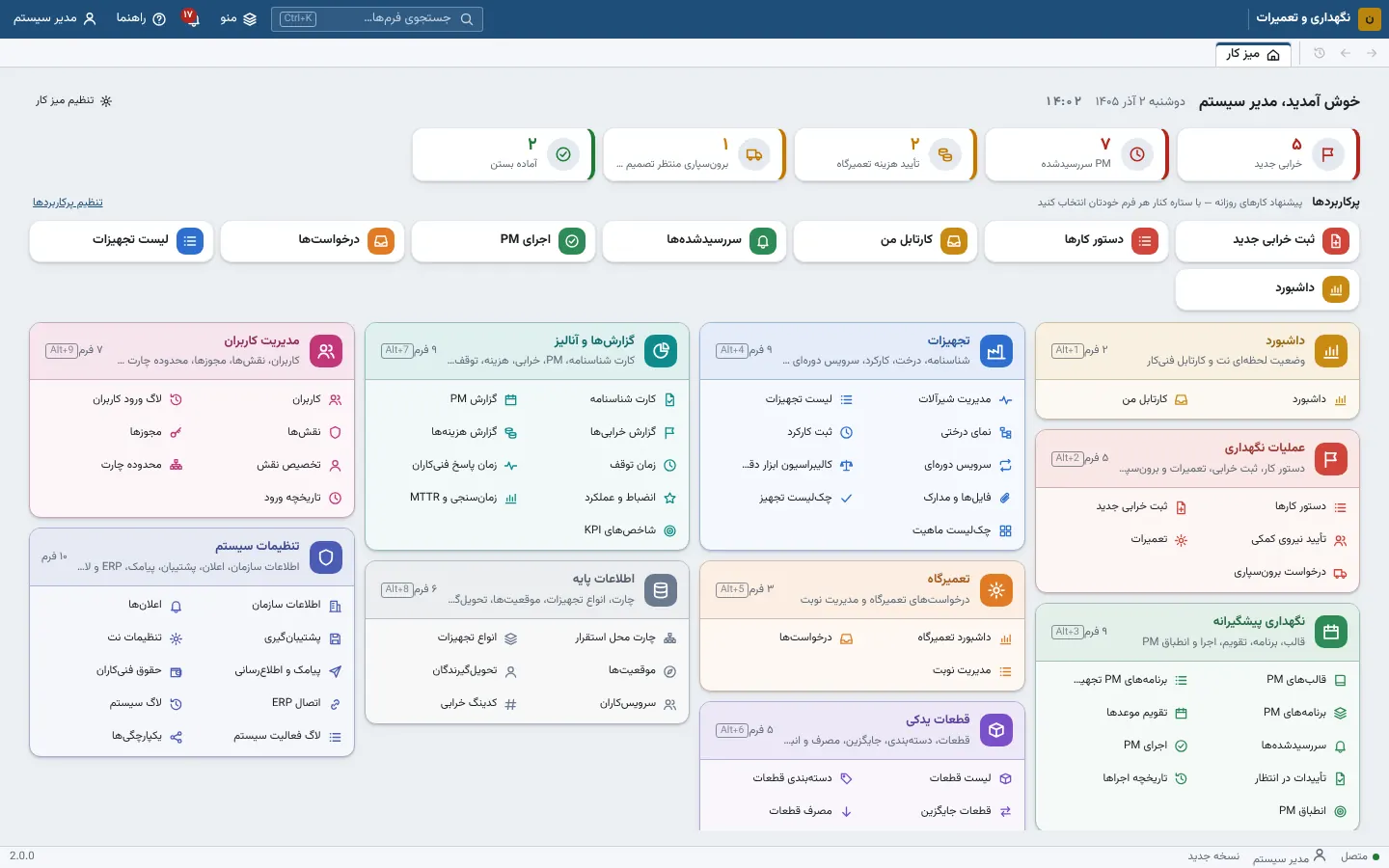
Desk: today's indicators, favourites and every section
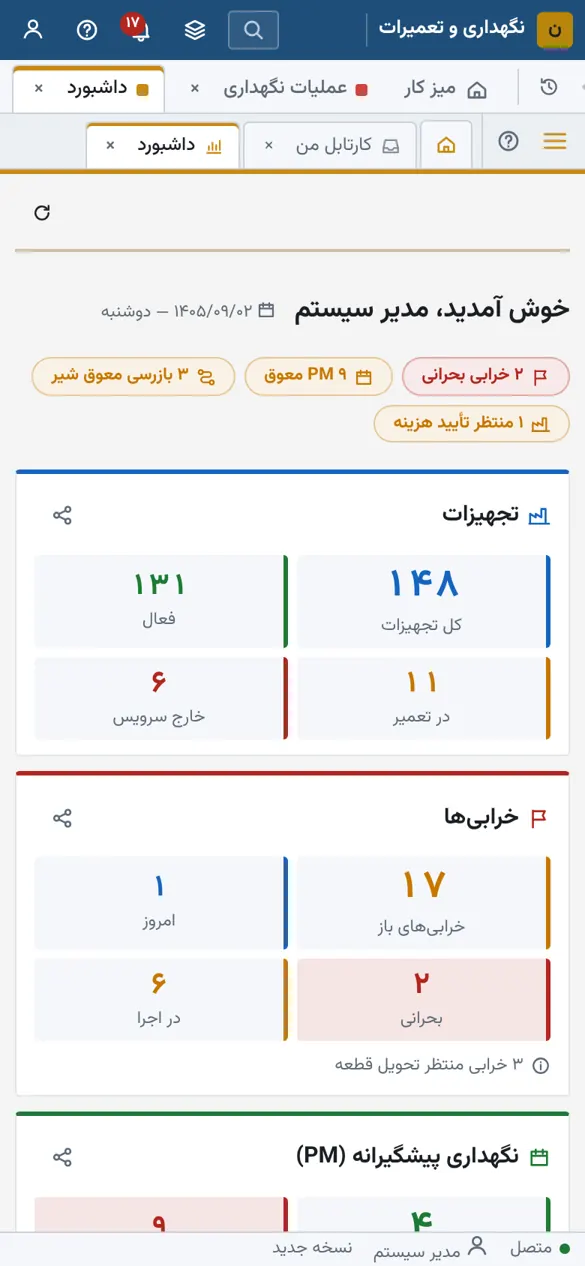
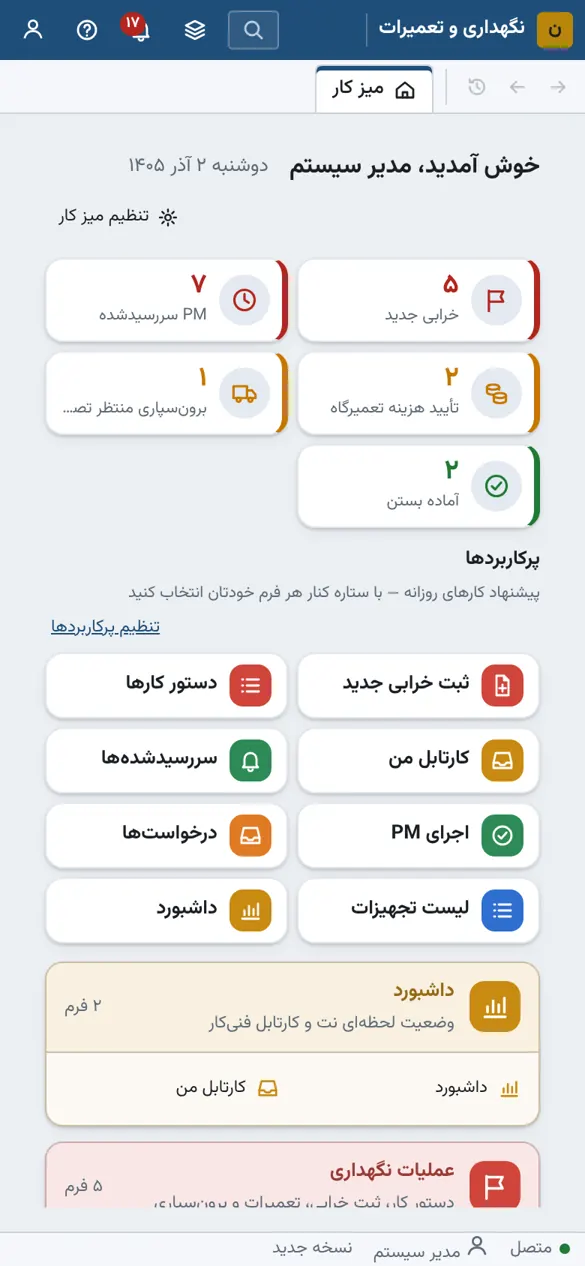
Desk on the phone
Desk on the phone
On the phone, on the floor Breakdowns, technician inbox and PM execution on the phone; installable app.
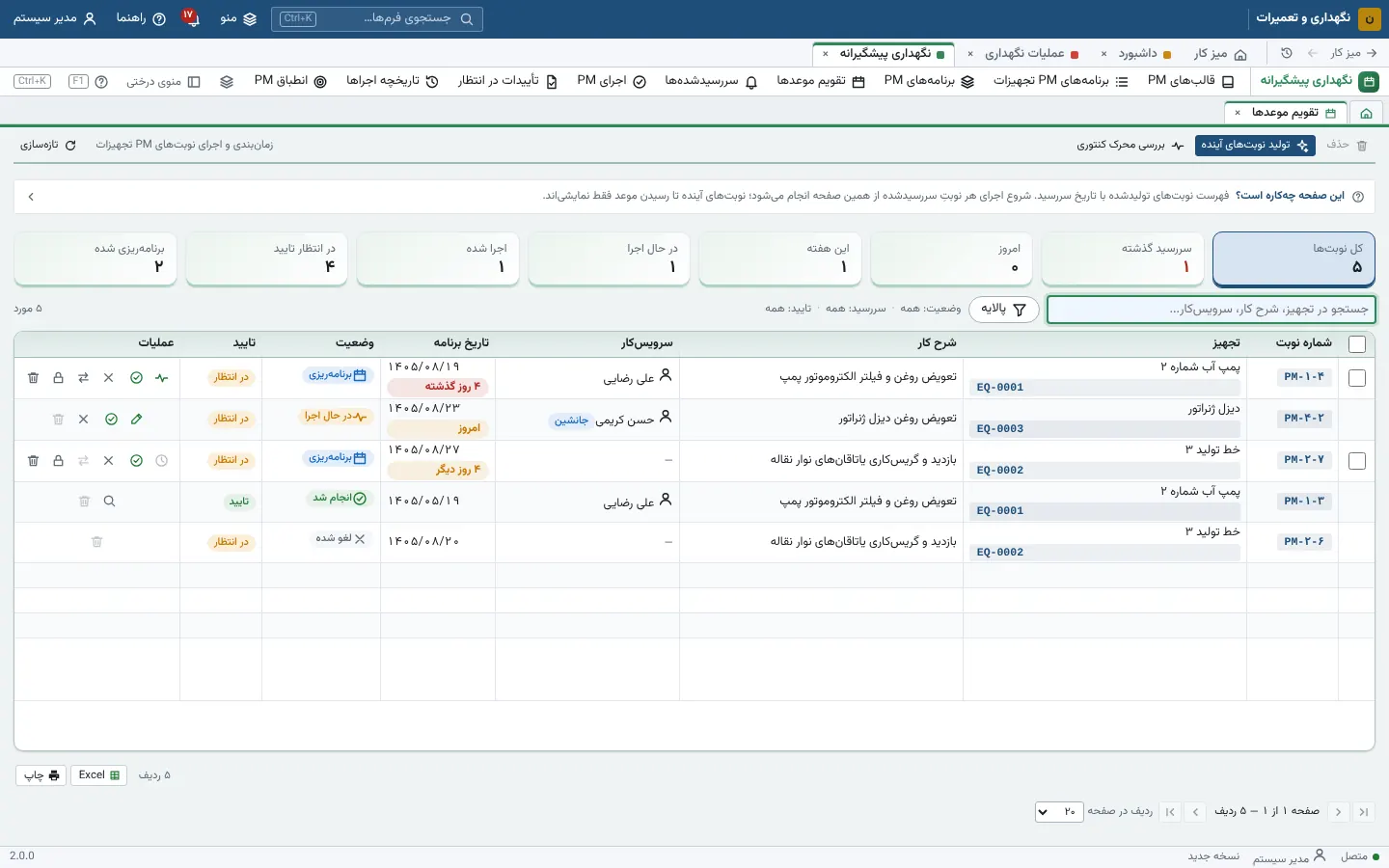
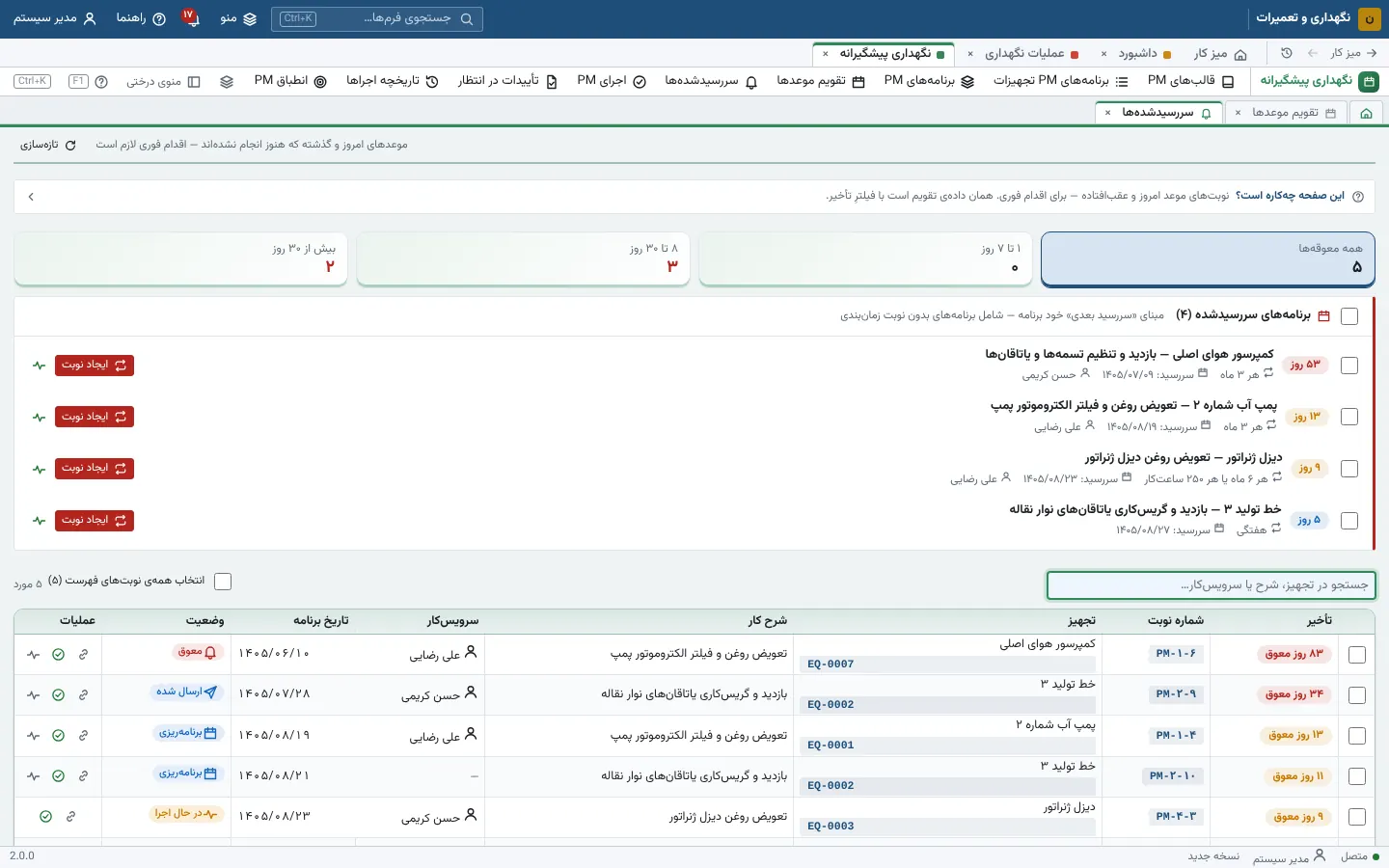
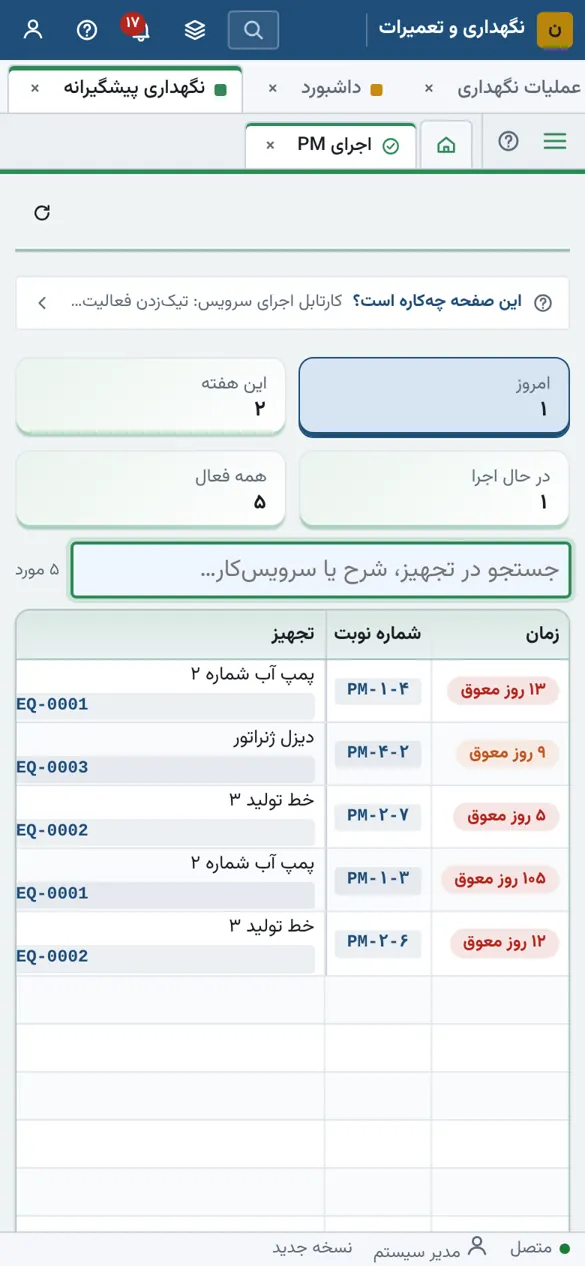
Real preventive maintenance PM templates, due calendar, overdue list and meter-based PM.
MTTR and KPIs from real data Response time, downtime, costs and PM compliance on a management dashboard.
ISO 45001 work permits LOTO, hot work, confined space and work at height with approval.
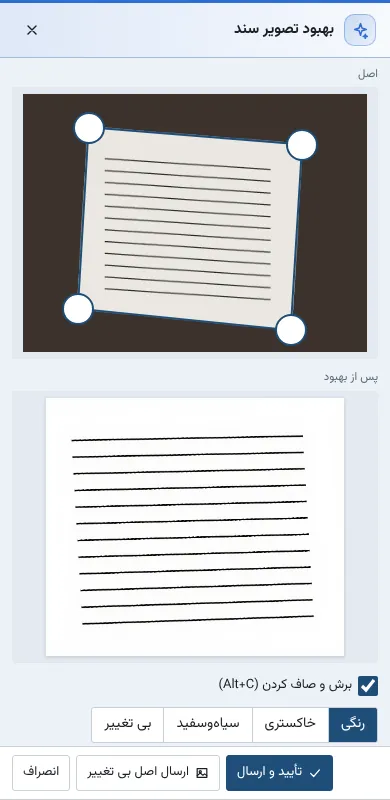
Document photos & scanning Photograph a fault or invoice; the paper is straightened automatically.
Standalone or with Zana ERP Link to Zana inventory and accounting with single sign-on.
Overview

Zana CMMS

Zana CMMS: maintenance from the technician's inbox to the manager's desk

Zana CMMS is Rayan Afzar Parsian's computerised maintenance management system, proven for years in factories and facilities and now delivered as a new web version with the unified Zana design. From the moment an operator reports a breakdown on their phone until the technician closes the job and its cost and downtime appear in management reports, every step is transparent and traceable.

Real preventive maintenance

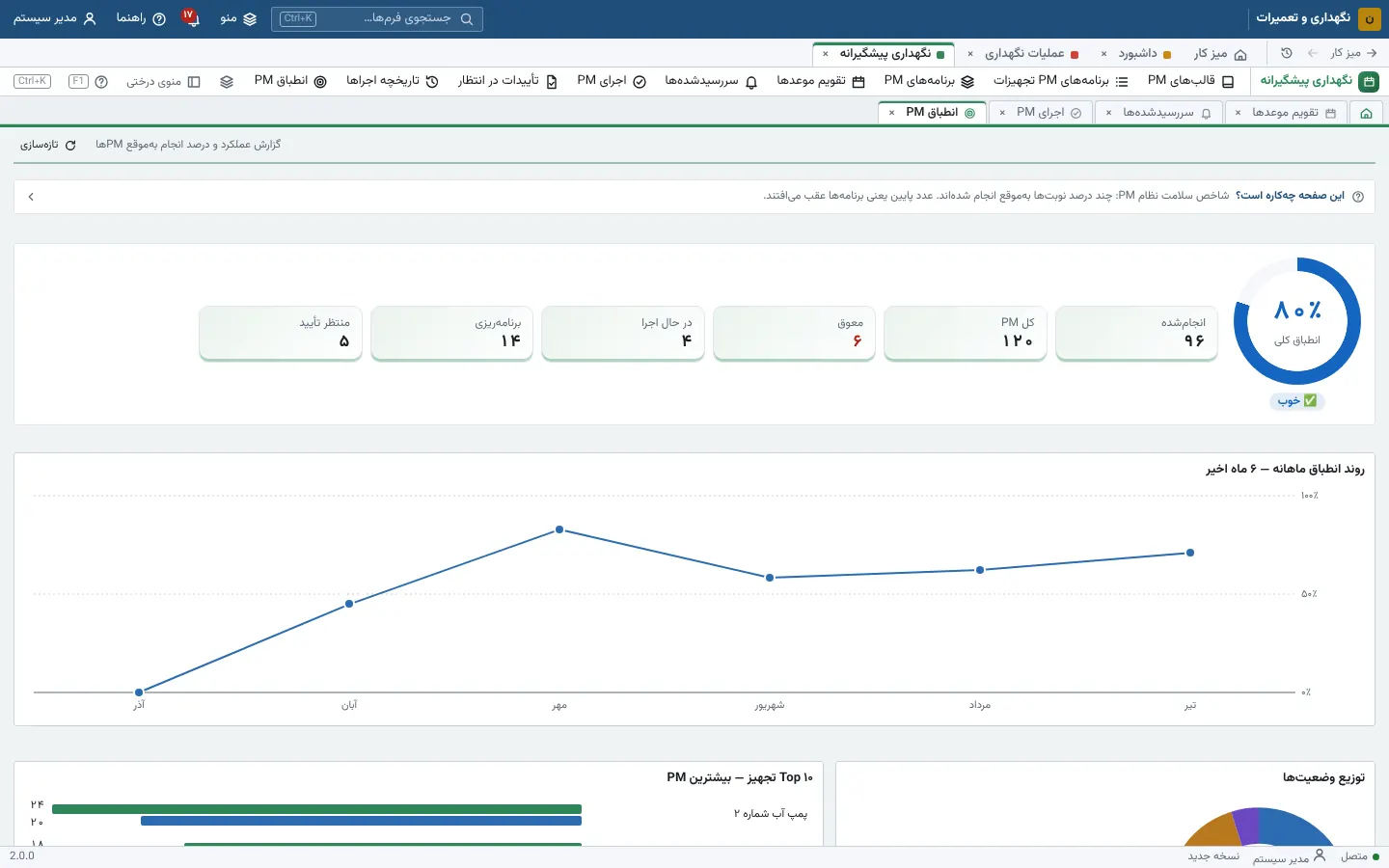
PM templates, per-equipment plans and a due calendar get work done before things break. The overdue list is always in view, and meter-based PM schedules vehicles and generators by kilometres or running hours. The PM compliance report shows how much of the plan was actually carried out.

Decisions based on data

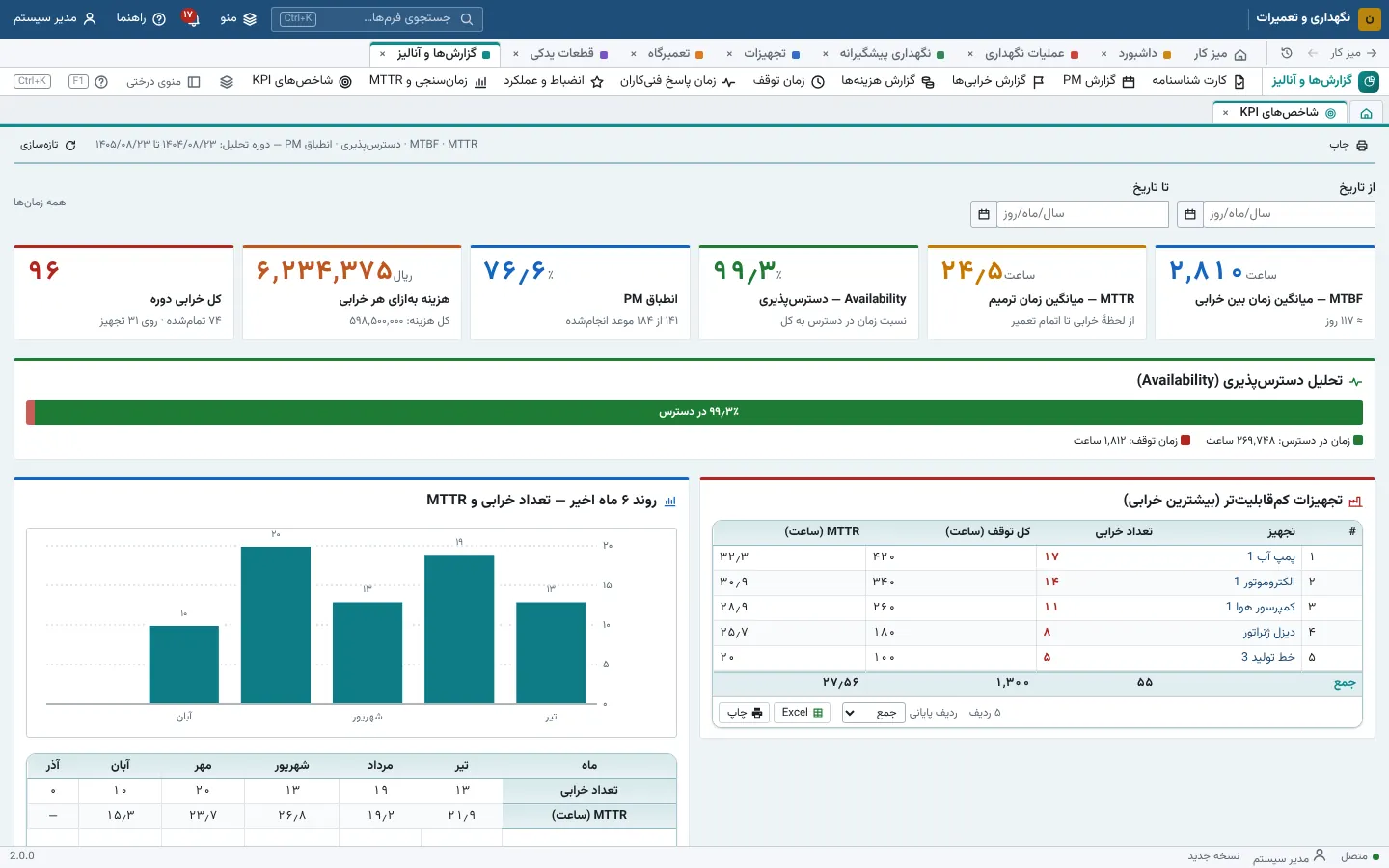
MTTR, technician response time, downtime per asset, costs split between in-house and outsourced work and KPI indicators are all built from real job data — with a management dashboard, printing and Excel export through Zana Report.

On the phone, on the shop floor

Every screen is designed for phones: reporting breakdowns, the technician inbox, PM execution and the equipment card. With “document photo”, a fault or invoice is photographed and the paper is straightened and enhanced automatically. The app can be installed on the phone's home screen.

Standalone or with Zana ERP

Zana CMMS installs on its own with its own users and database, and can integrate with Zana ERP inventory and accounting, opening from the ERP home page with single sign-on. Two user interfaces share one server and one database: the familiar “classic” version and the “new” Zana design — users choose at sign-in.
Zana CMMS

Key features

Breakdowns & work orders

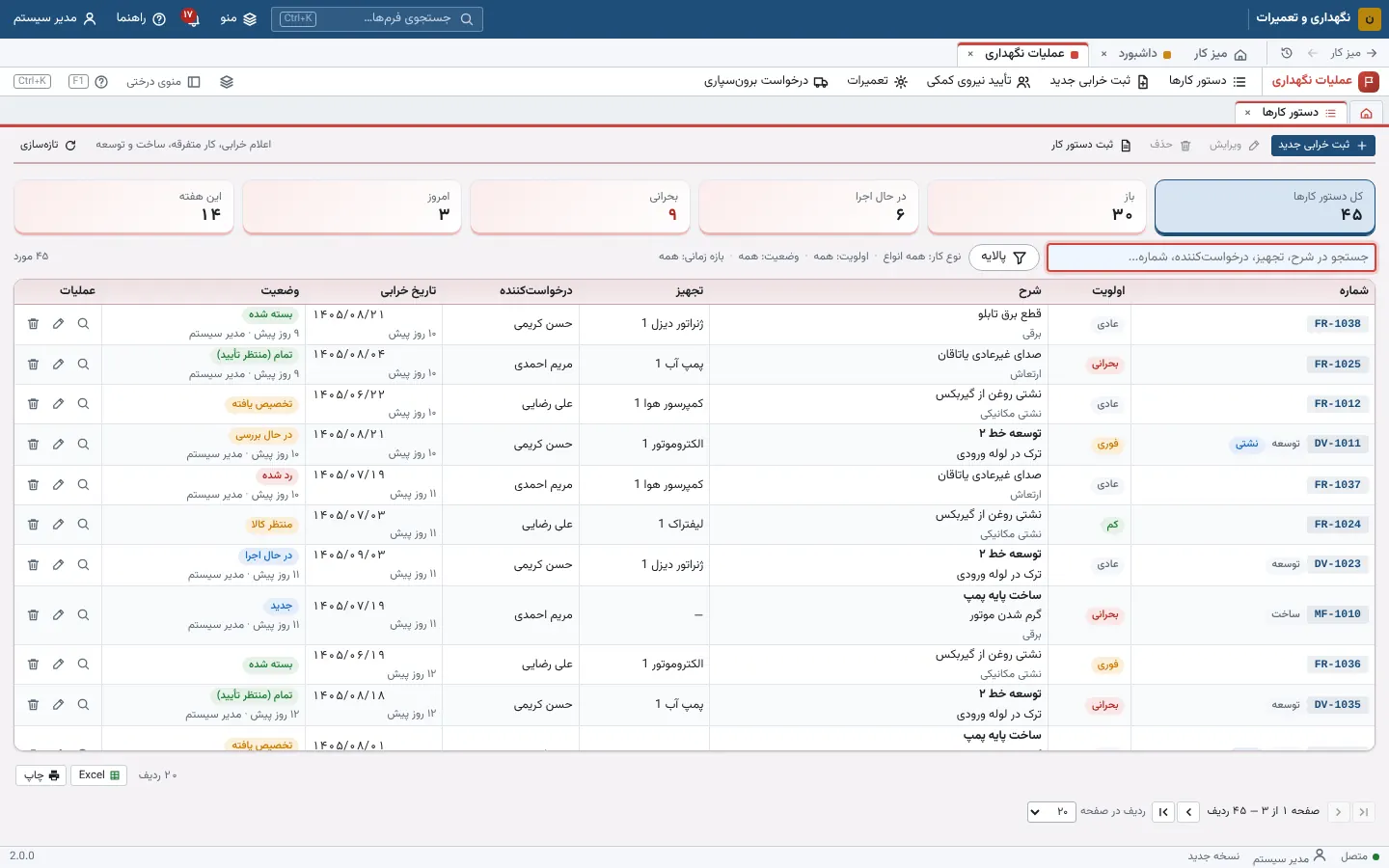
Report from phone or desktop, priority, failure codes, technician assignment, personal inbox, time logging with a stopwatch, closing and follow-up work orders.

Preventive maintenance (PM)

PM templates, per-equipment plans, due calendar, overdue list, bulk execution, approvals and history, meter-based PM for vehicles and generators.

Equipment records & tree

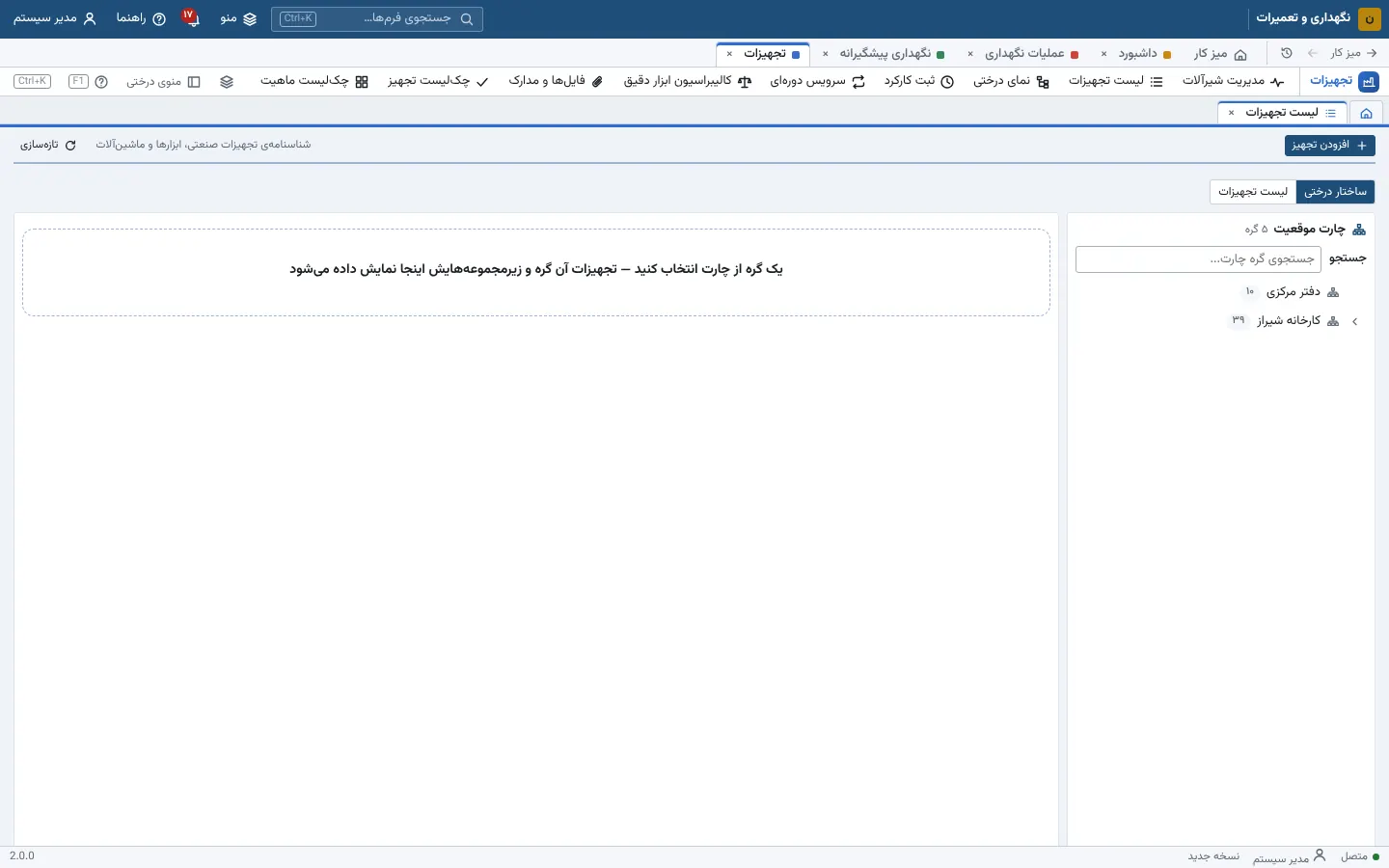
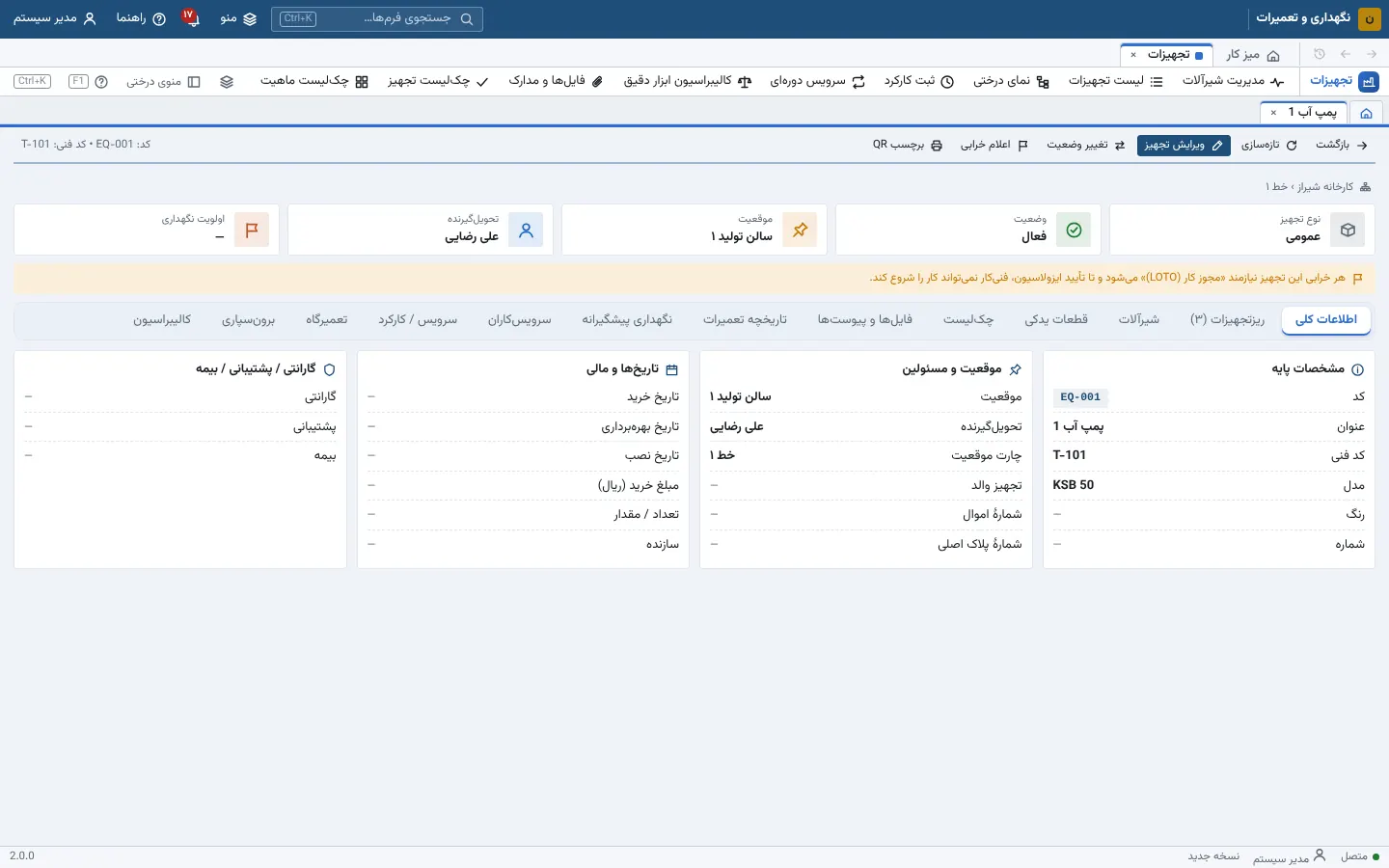
Location chart, equipment tree and list, equipment card, checklists, calibration, periodic services, QR labels, files and documents.

Workshop & outsourcing

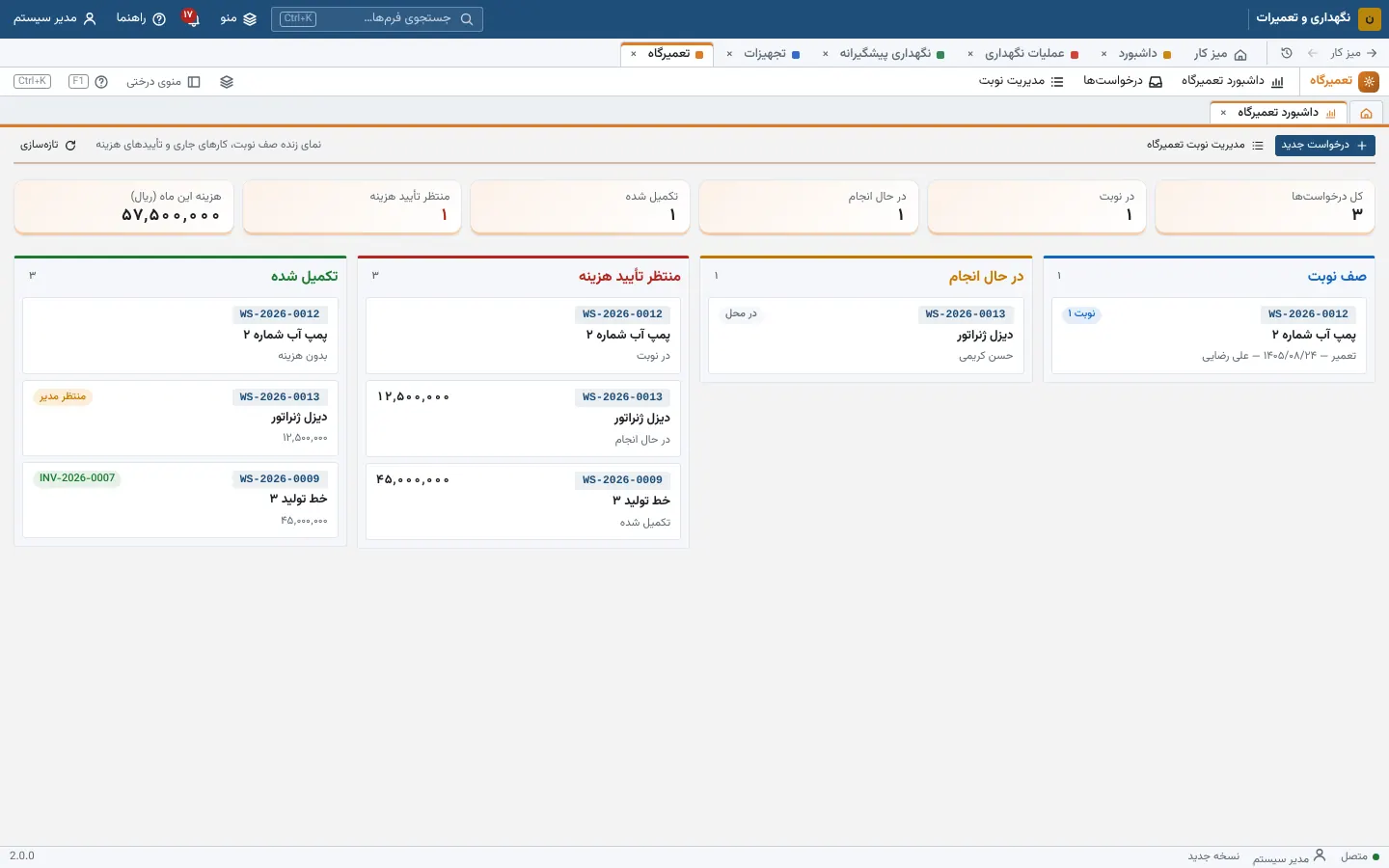
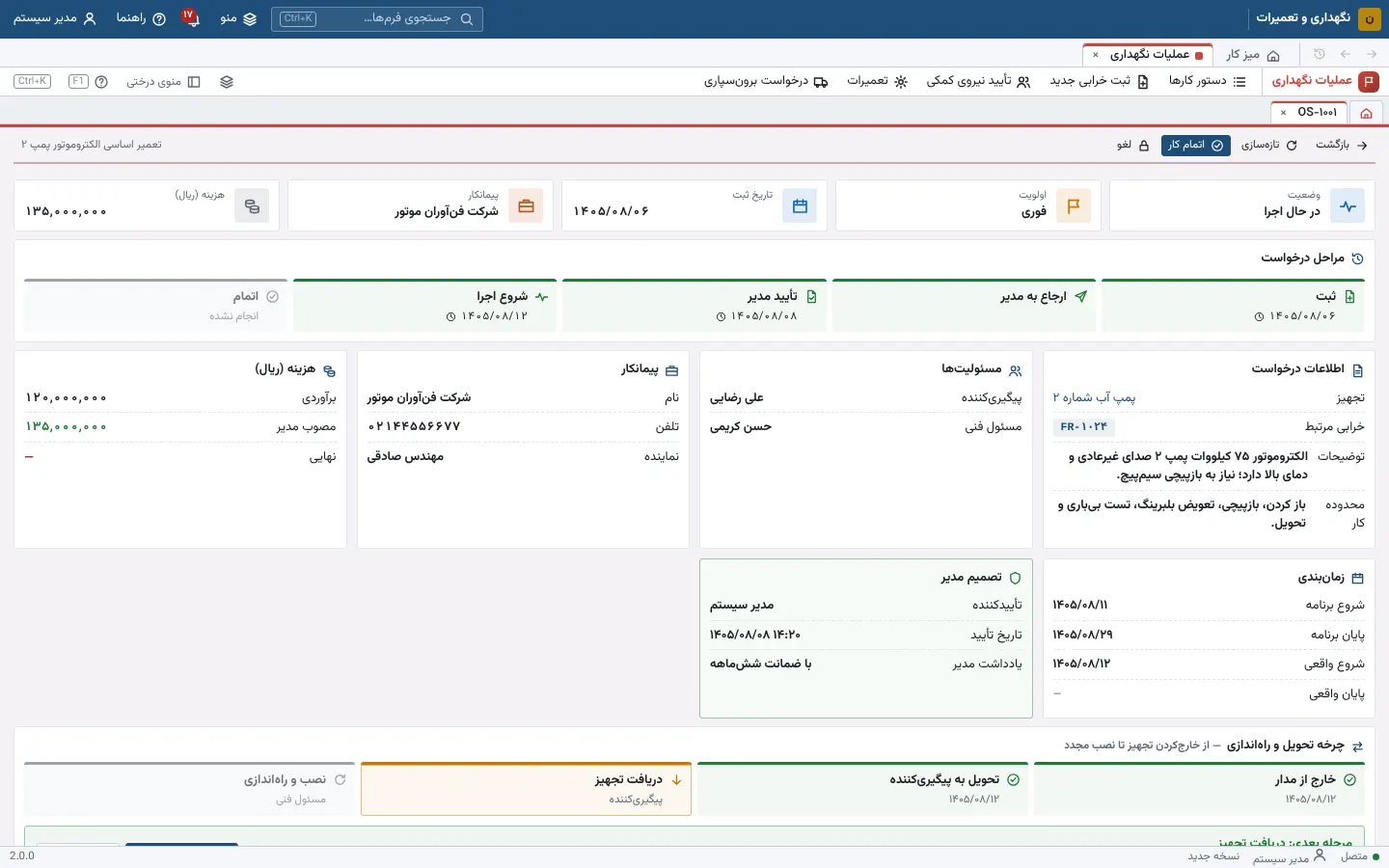
Internal workshop queue and scheduling, parts and costs with manager approval; outsourcing with delivery and commissioning stages, costs and documents.

Spare parts & Zana inventory

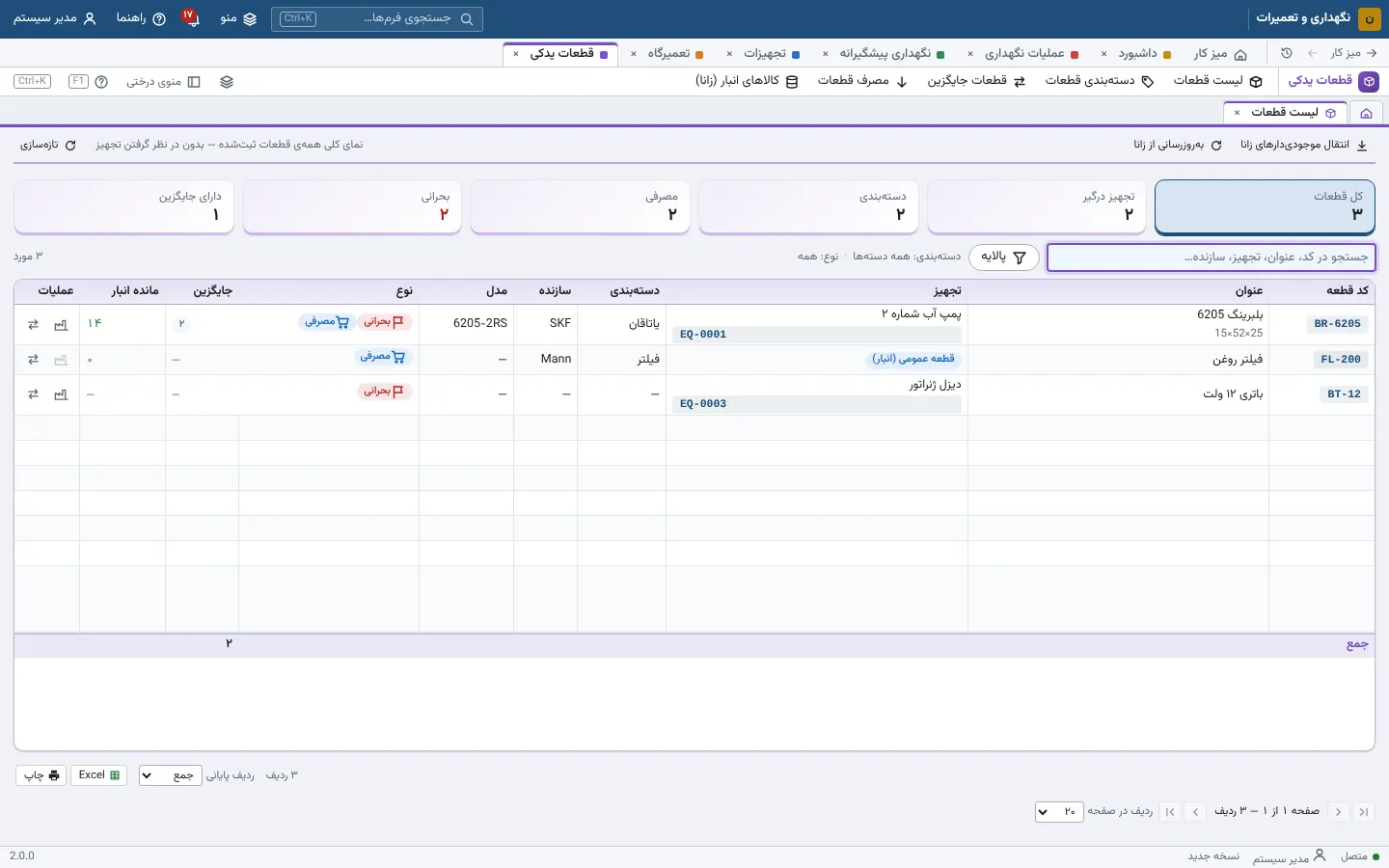
Parts and categories, alternates, part requests from the technician inbox, consumption, link to Zana ERP warehouse items.

Work permits & safety

Work permits (LOTO, hot work, confined space, work at height) aligned with ISO 45001: issue, approve and close.

Reports & KPIs

MTTR, response time, downtime, costs, PM compliance, technician discipline and the management dashboard; print and Excel with Zana Report.

Document photos & attachments

Photograph a fault or invoice with the phone camera, automatic paper straightening and enhancement with user approval, direct scanning.

SMS & notifications

SMS notification of events with “seen” tracking, notification bell and desk indicators.

Security & access

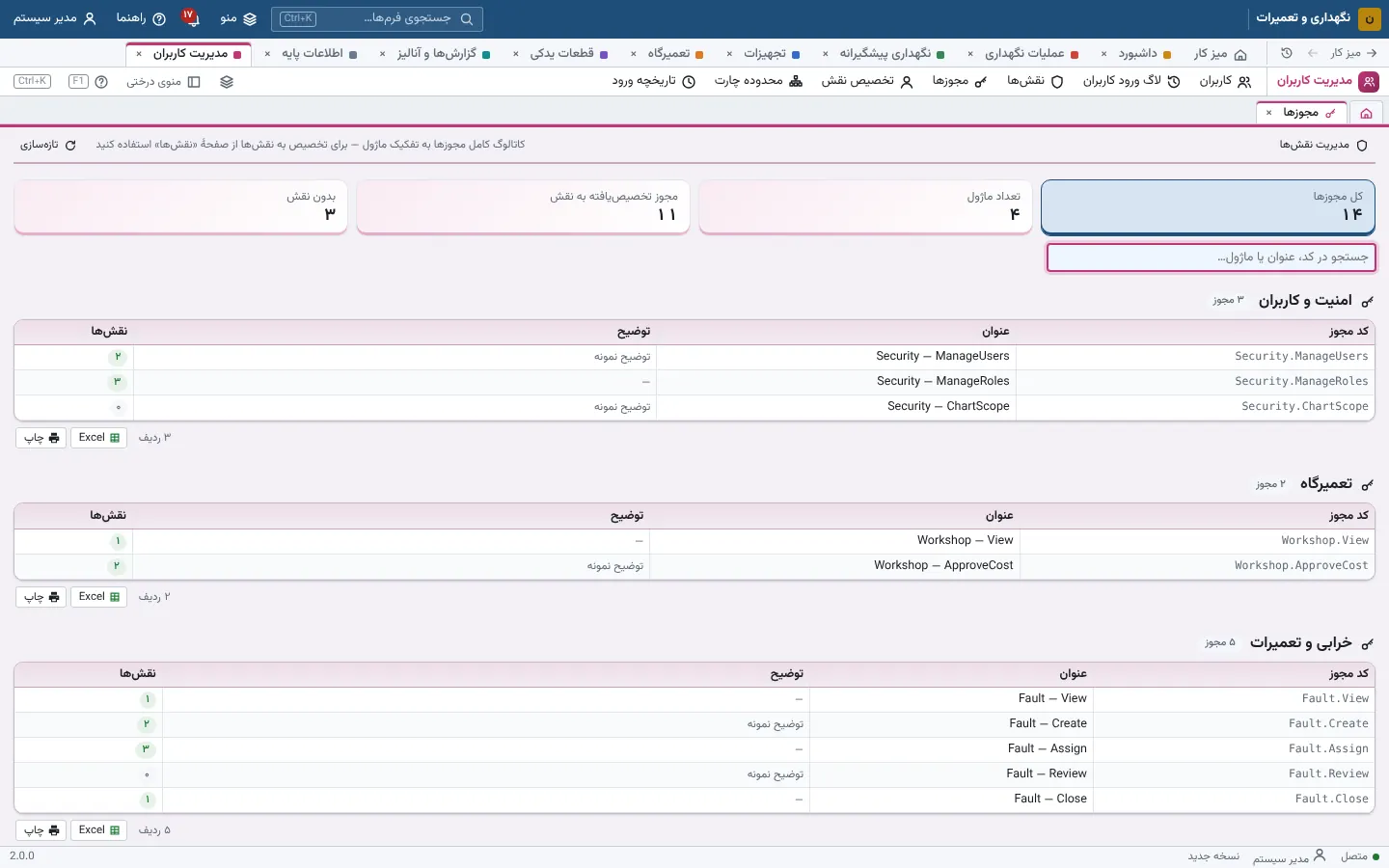
Fine-grained roles and permissions, per-user chart scope, password policy, account lockout, login log and full change audit.

Zana CMMS

For every team in your organisation

Managers

One-glance dashboard

Breakdowns, overdue PMs, workshop, outsourcing and costs on one page; click any number to open the matching jobs.

Cost per asset

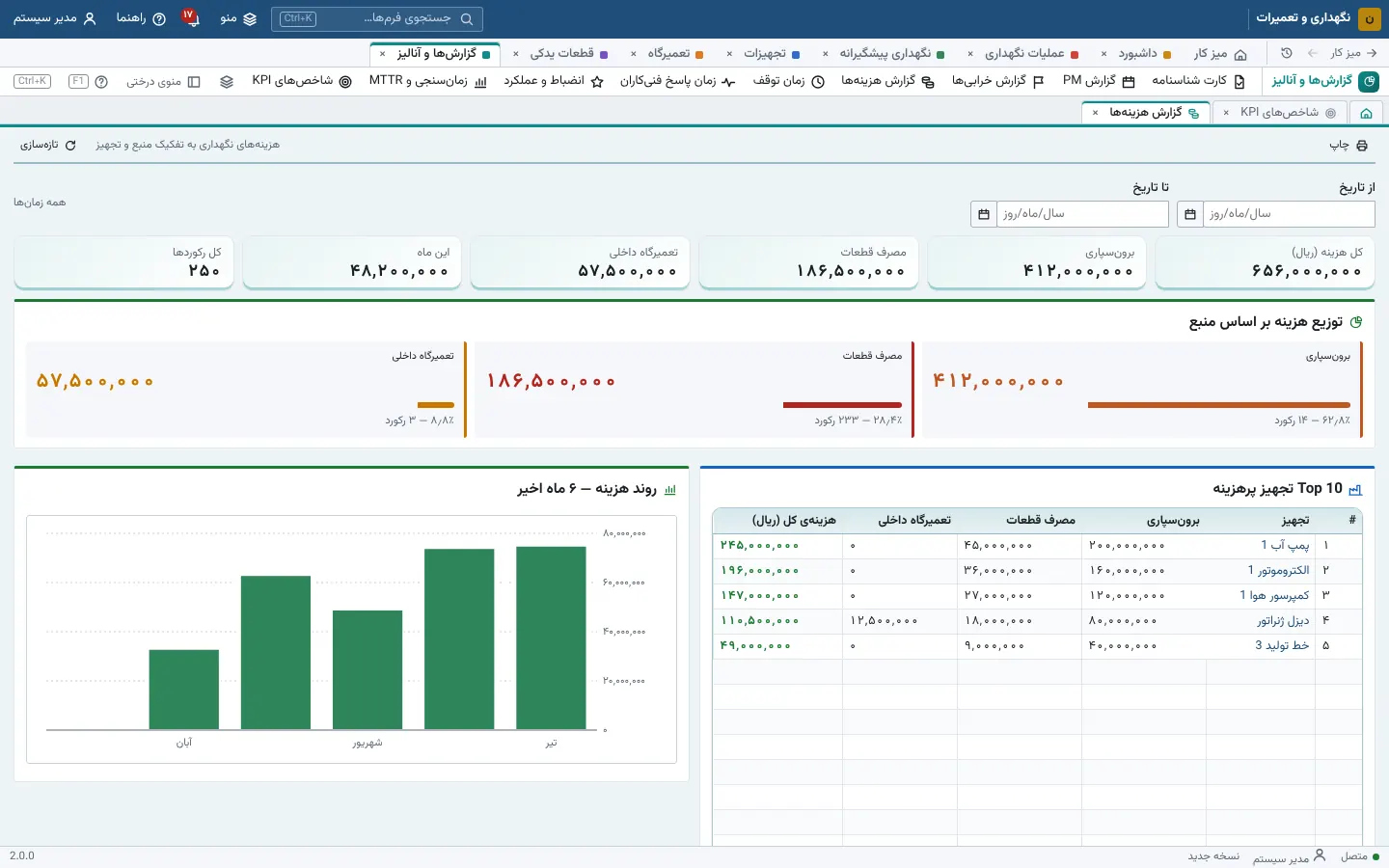
In-house, parts, workshop and outsourcing costs by asset and period; expensive and failure-prone assets stand out.

Response time & downtime

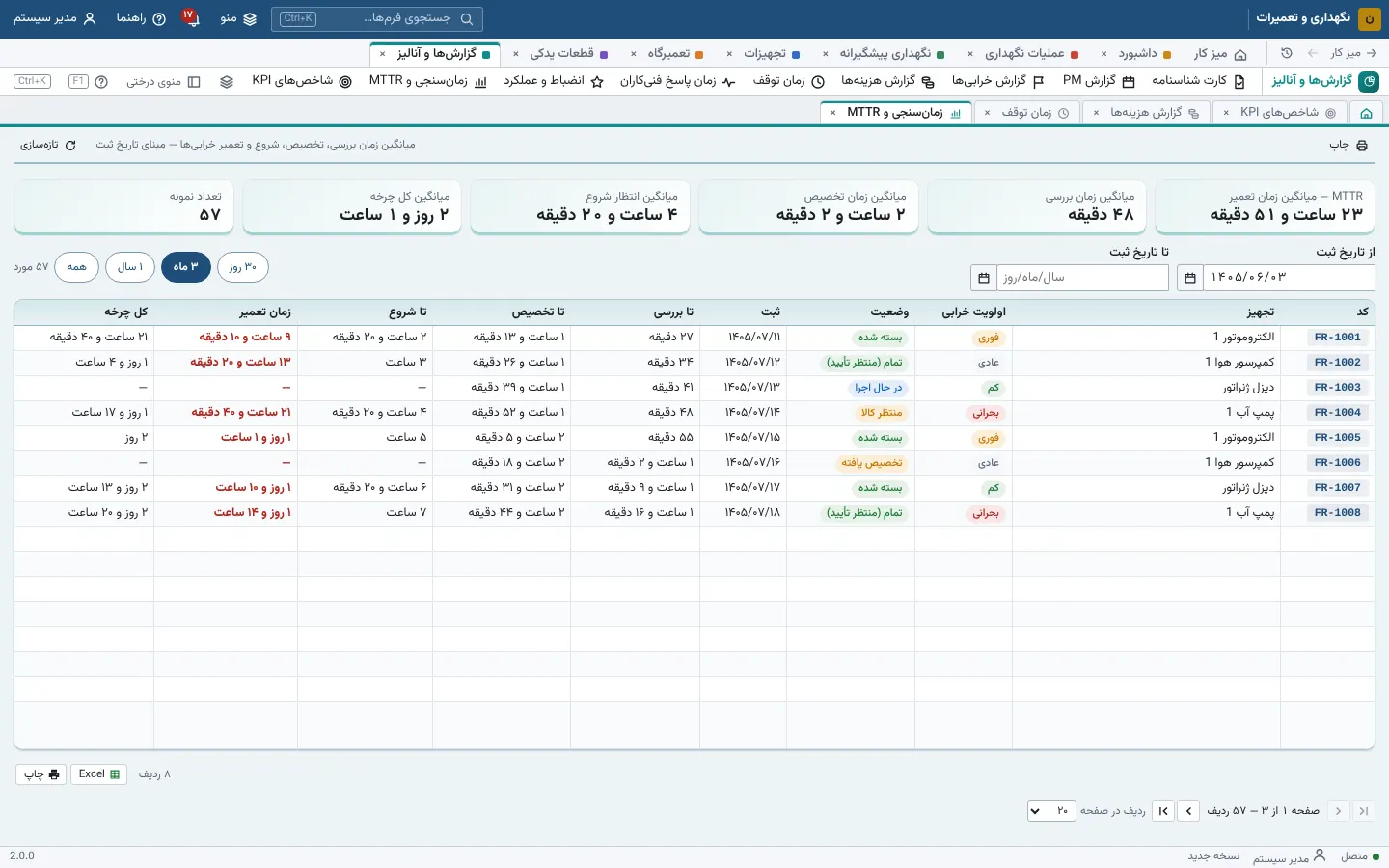
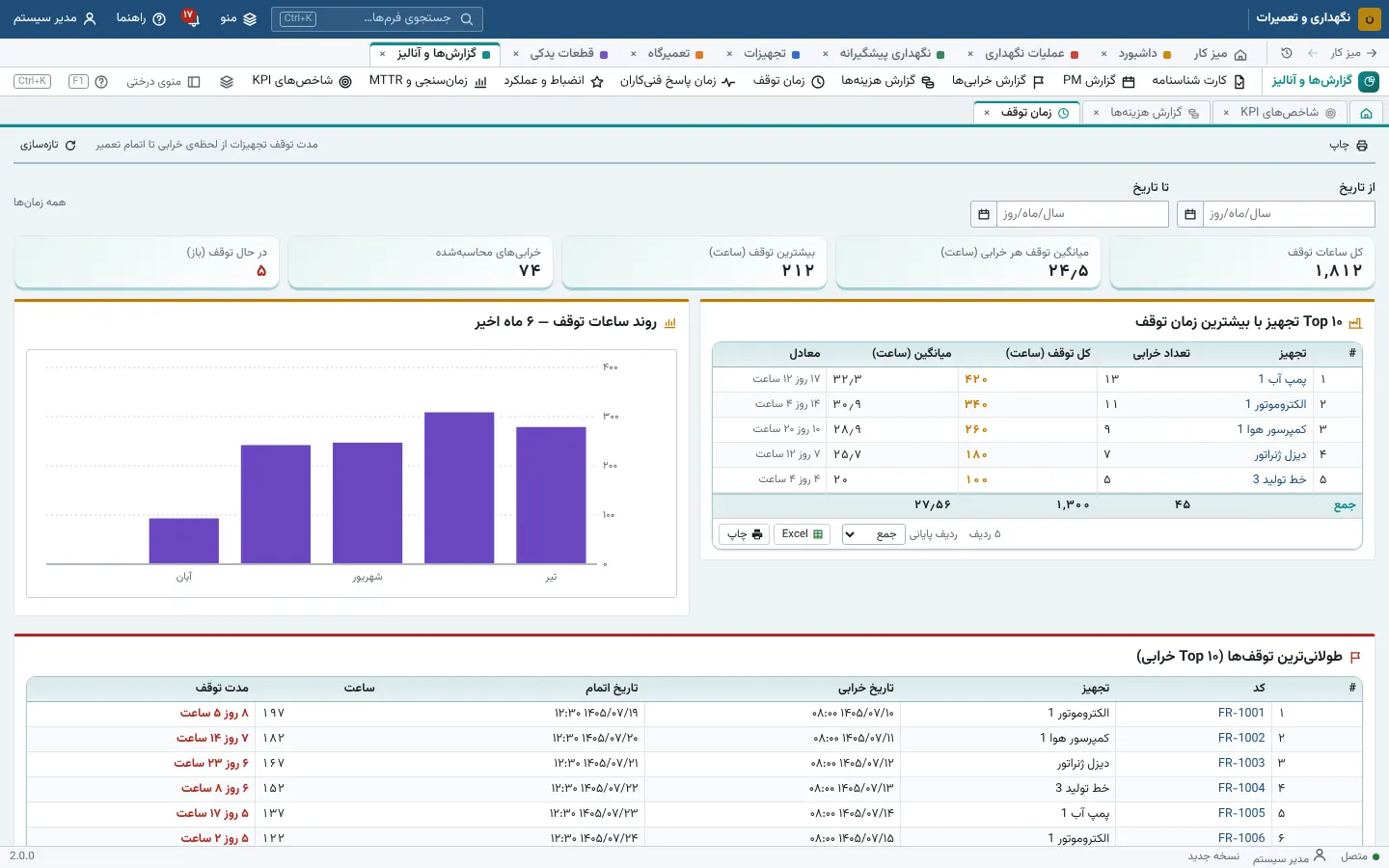
MTTR, time to assign, waiting time and full cycle of every breakdown; production downtime per asset.

Approve costs & outsourcing

Workshop costs and outsourcing requests are approved by managers with a full decision history.

Technician discipline & performance

Workload, response time and logged hours per technician; hourly rates for cost calculation.

Maintenance team

My inbox

Each technician sees their own jobs: accept, start, stopwatch logging, request help and parts.

PM you never forget

Due calendar and overdue list; bulk execution with checklists and consumables.

Complete equipment record

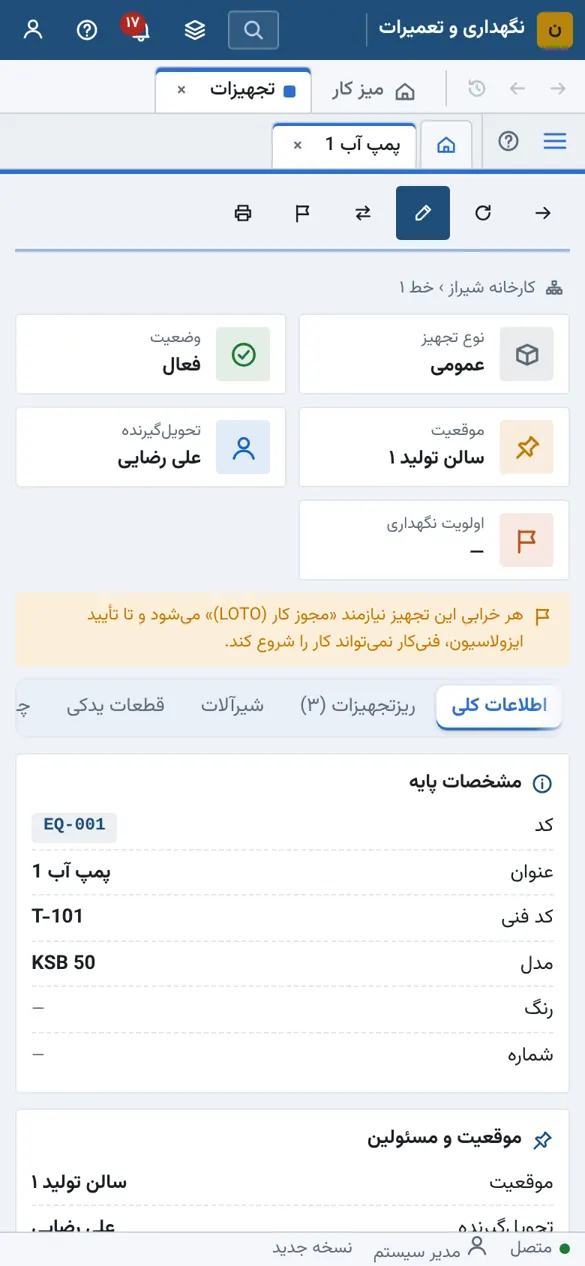
Specs, sub-assemblies, parts, breakdown and PM history, calibration, files and QR label on one page.

Safe work permits

High-risk work cannot start until a permit is issued and approved.

Repair lines & checklists

Log the work done, inspection checklists from the equipment type and follow-up work orders.

Operators & users

Report a breakdown in seconds

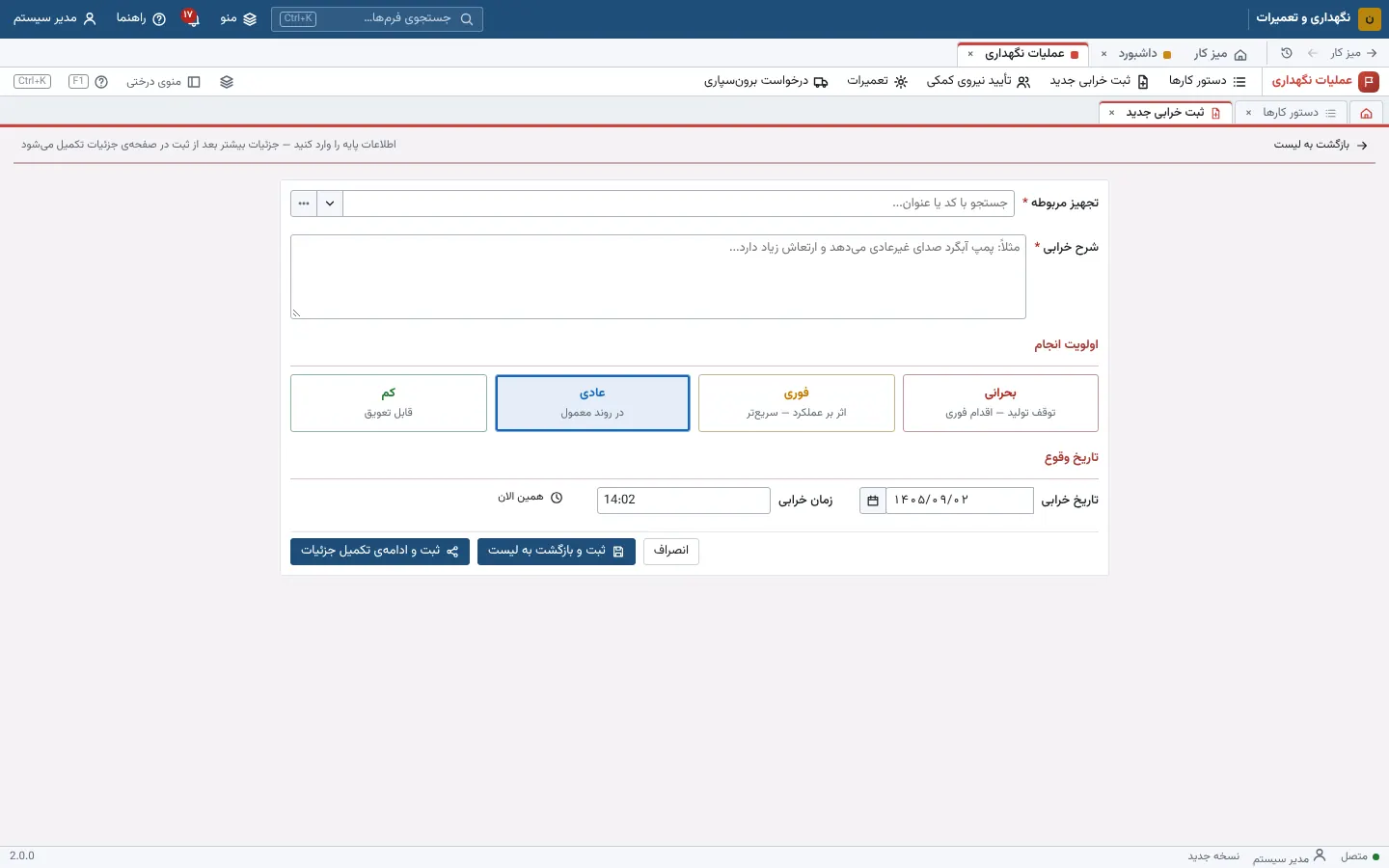
Pick the equipment, describe it and set priority — with a phone photo.

SMS & tracking

Get notified at every step and see the status of your report.

Simple and familiar

A desk with favourites, F1 help on every form and both classic and new interfaces.

Stores, safety & finance

Part requests & delivery

Part requests from the technician inbox, delivery and consumption, link to Zana warehouse items.

Full cost of every job

Labour, parts, workshop and outsourcing for every work order.

Full audit trail

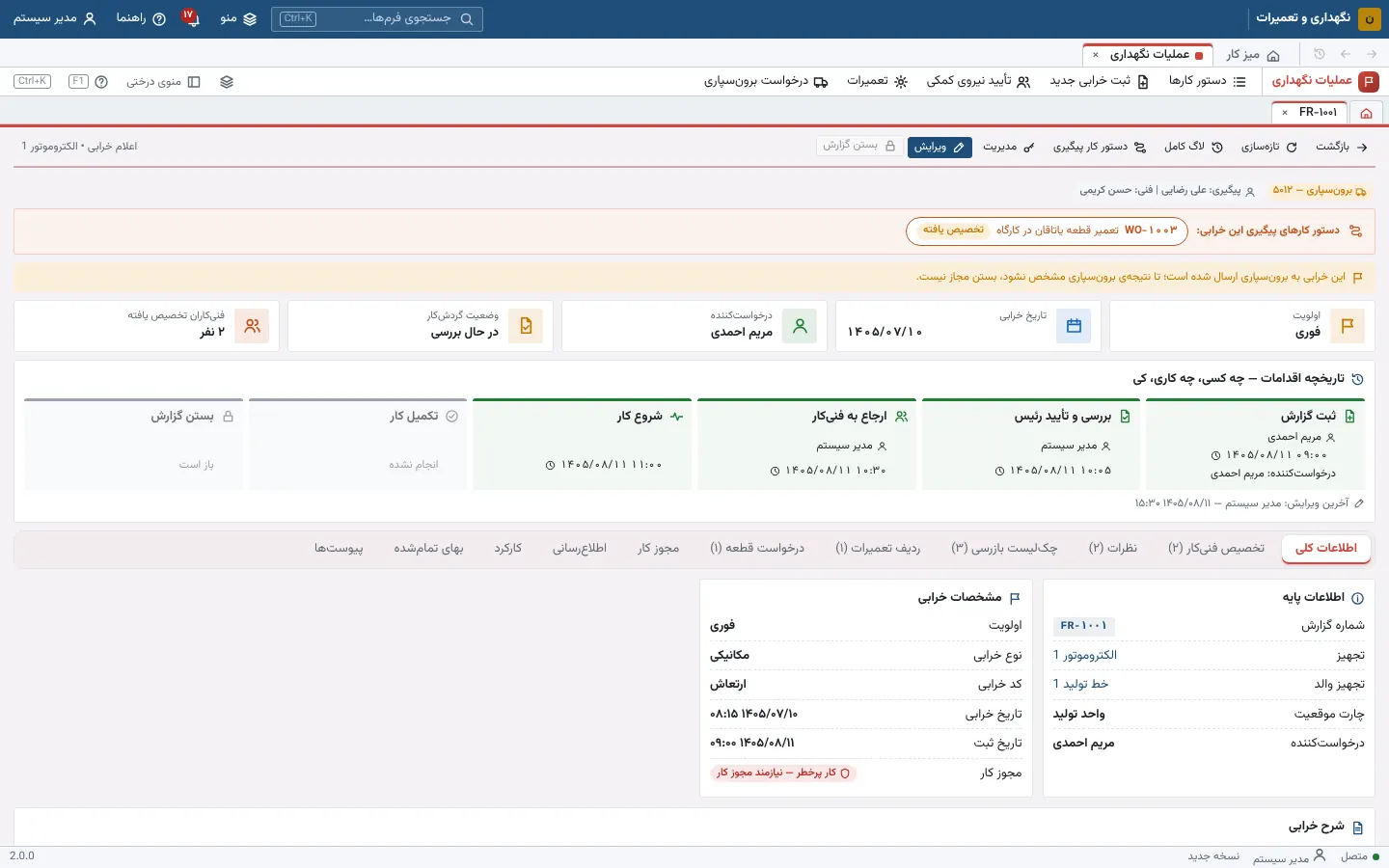
Who did what and when — for every work order and every change.

Zana CMMS

How it works

  1. 1Report An operator reports the breakdown with a photo.
  2. 2Review The supervisor sets priority and instructions.
  3. 3Assign The job is assigned to one or more technicians.
  4. 4Execute Time, parts, permits and checklists are recorded.
  5. 5Close Downtime, cost and outcome are recorded and the job is closed.
  6. 6Analyse MTTR, costs and repeat failures in management reports.
Zana CMMS

Screenshots

On desktop

Desk: today's indicators, favourites and every section
Maintenance management dashboard
Work orders with the filter bar
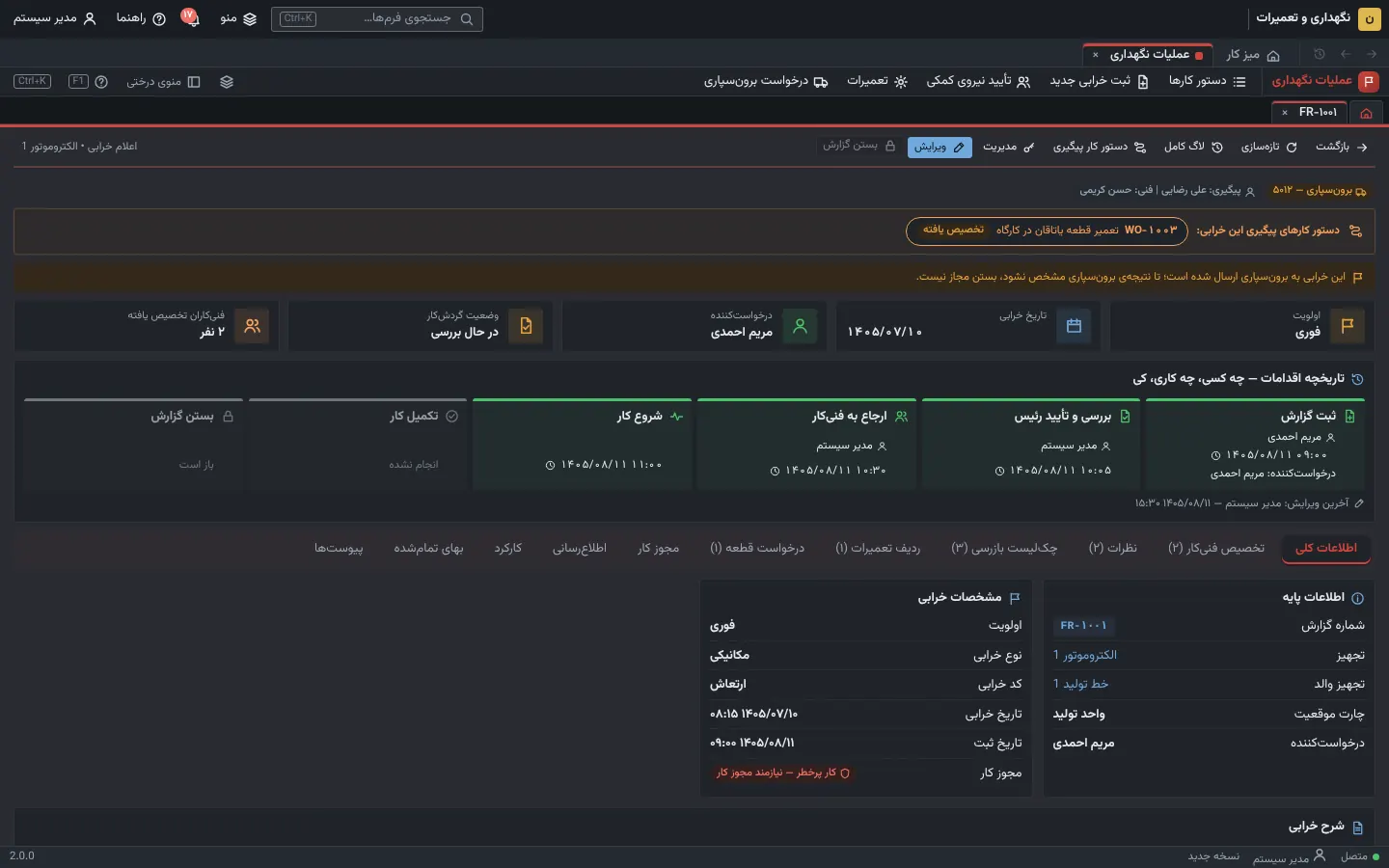
Work order details and action history
Reporting a new breakdown
Preventive maintenance due calendar
Overdue PM
Overdue PM
PM compliance
PM compliance
Equipment list
Equipment list
Equipment record
Equipment record
Workshop dashboard
Workshop dashboard
Outsourcing and delivery stages
Spare parts
Spare parts
KPIs and availability
Timing and MTTR
Timing and MTTR
Cost report
Cost report
Equipment downtime
Equipment downtime
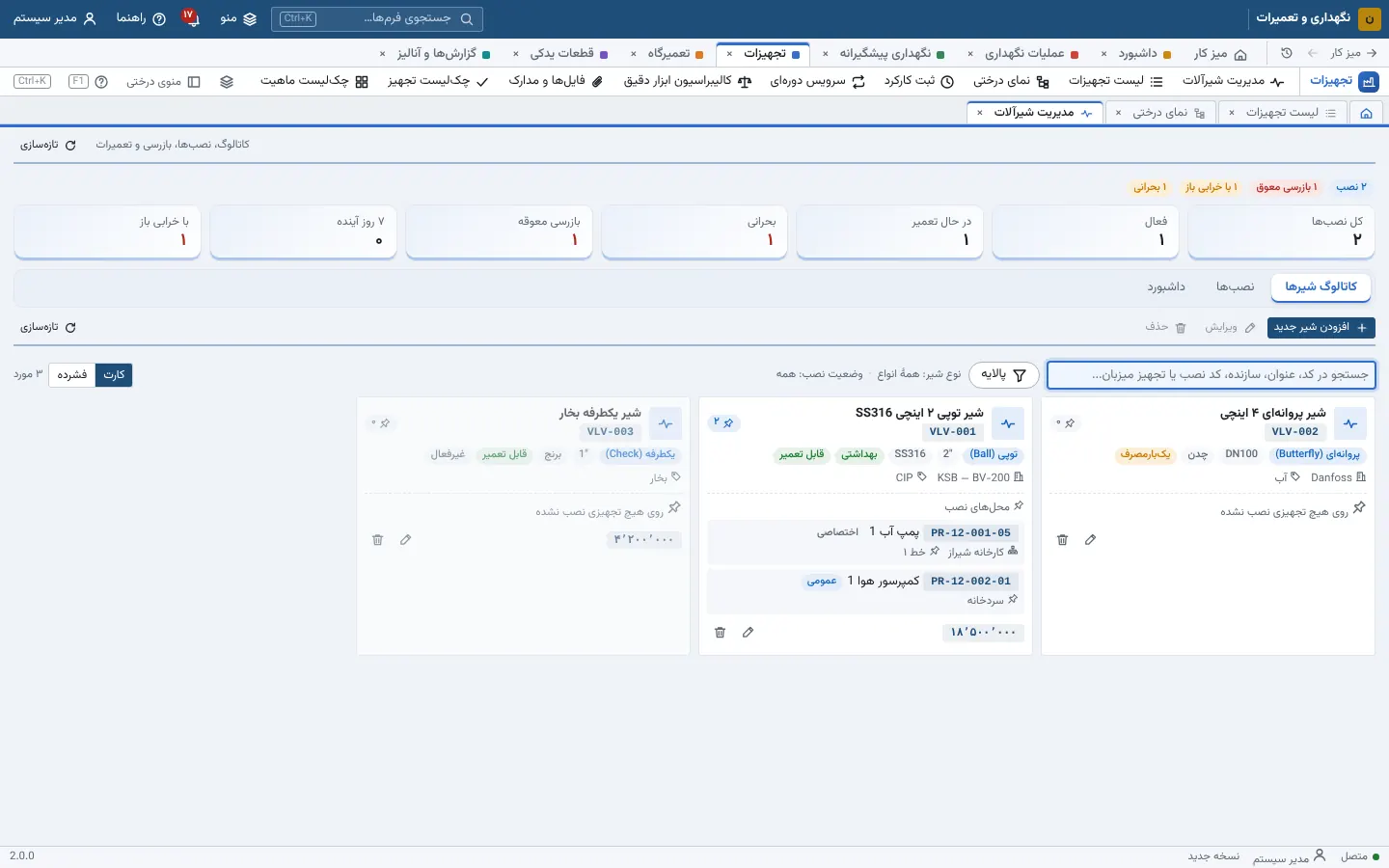
Valve management
Valve management
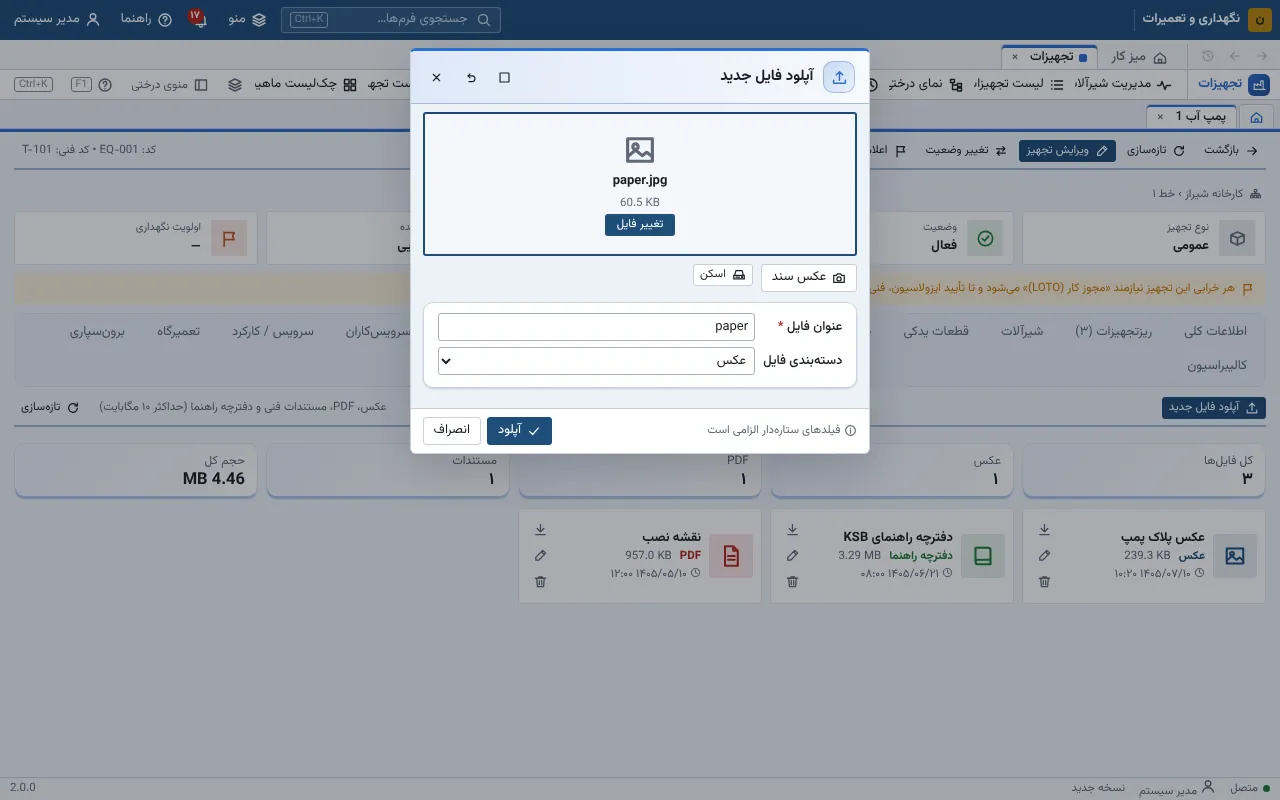
Attachments with document photo and scan
Roles and permissions
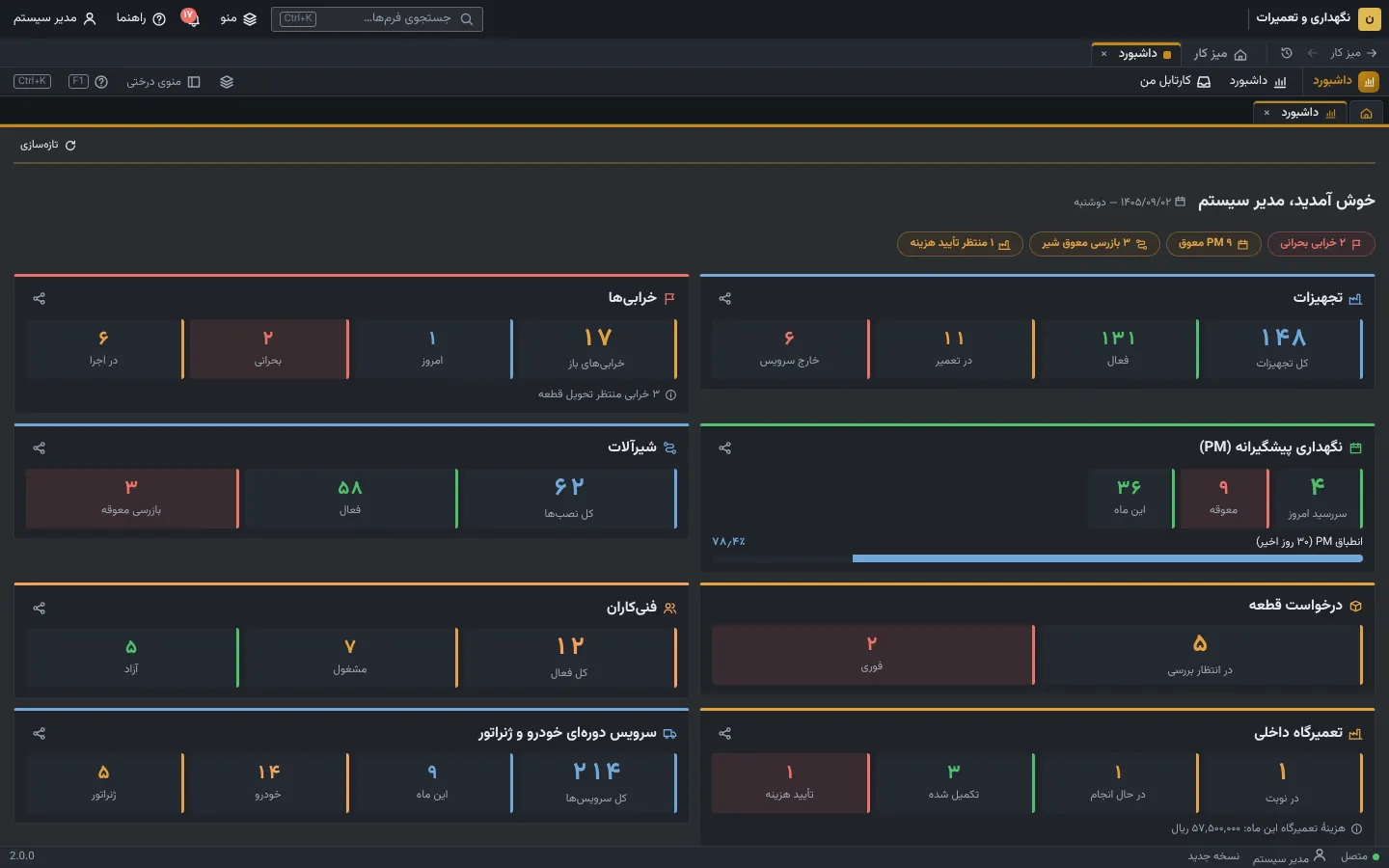
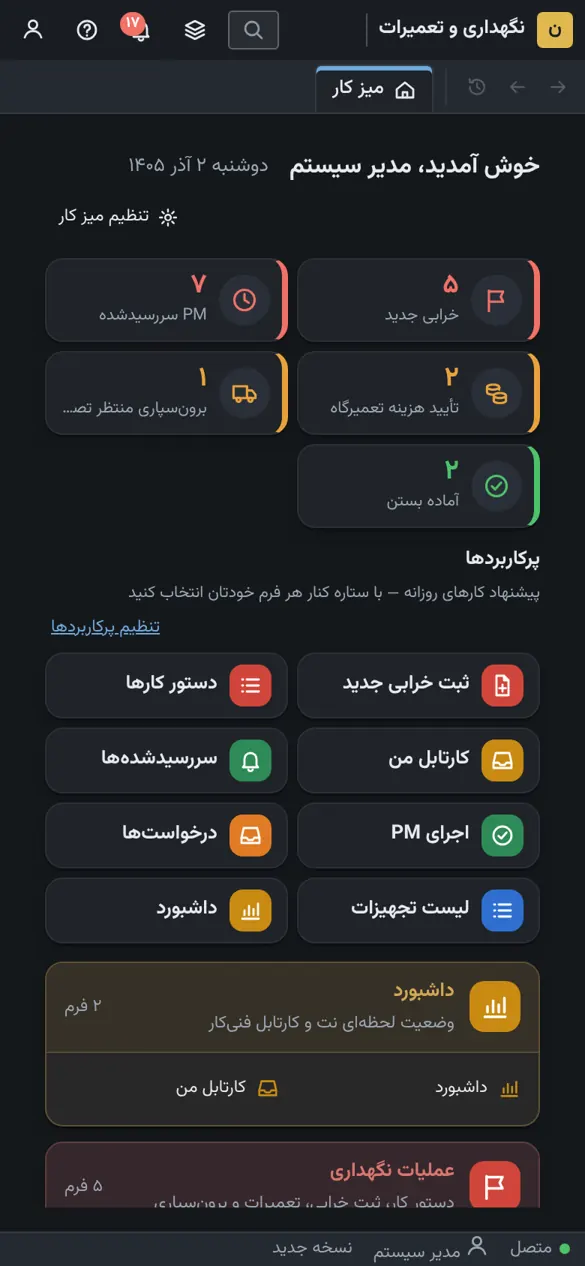
Dark theme
Dark theme
Work order in the dark theme

On mobile

Desk on the phone
Desk on the phone
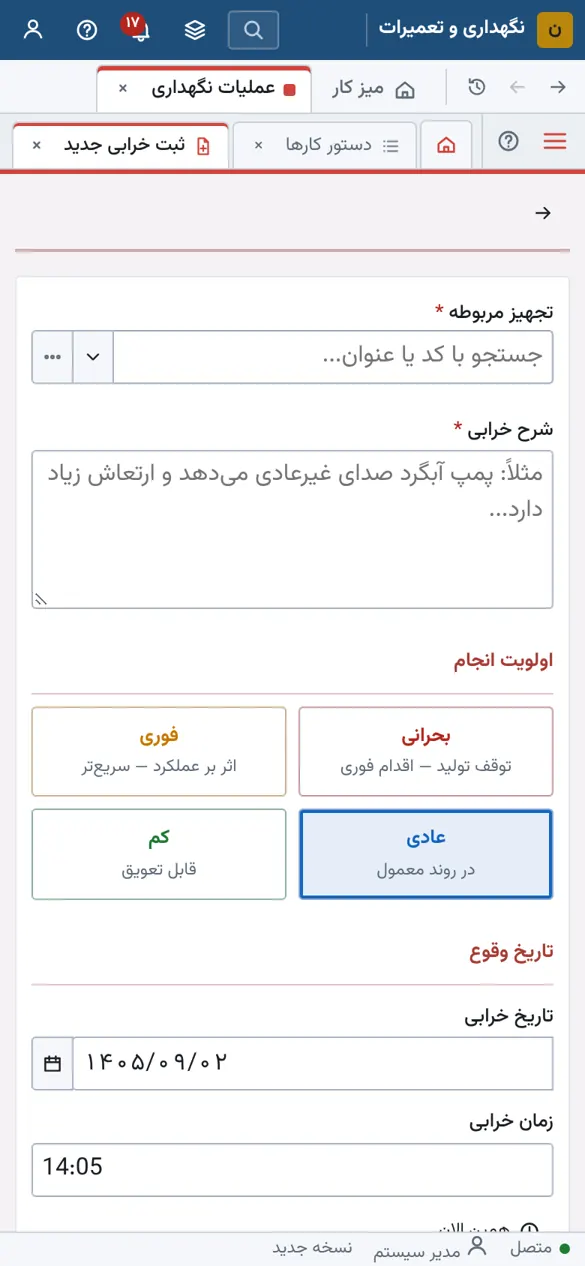
Report a breakdown on the phone
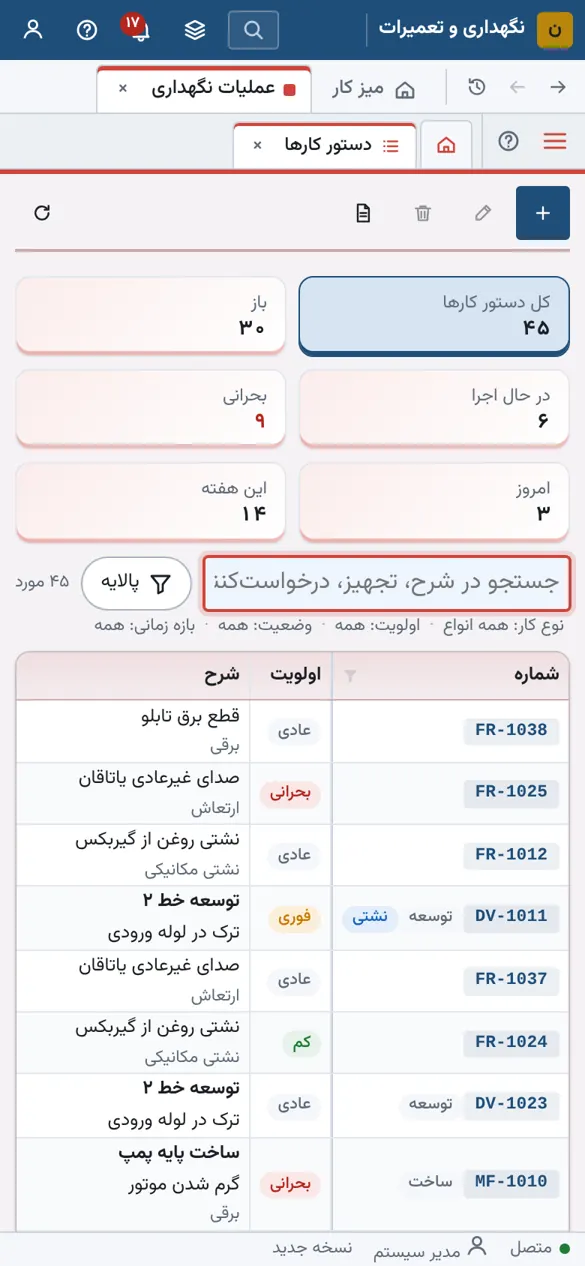
Work orders on the phone
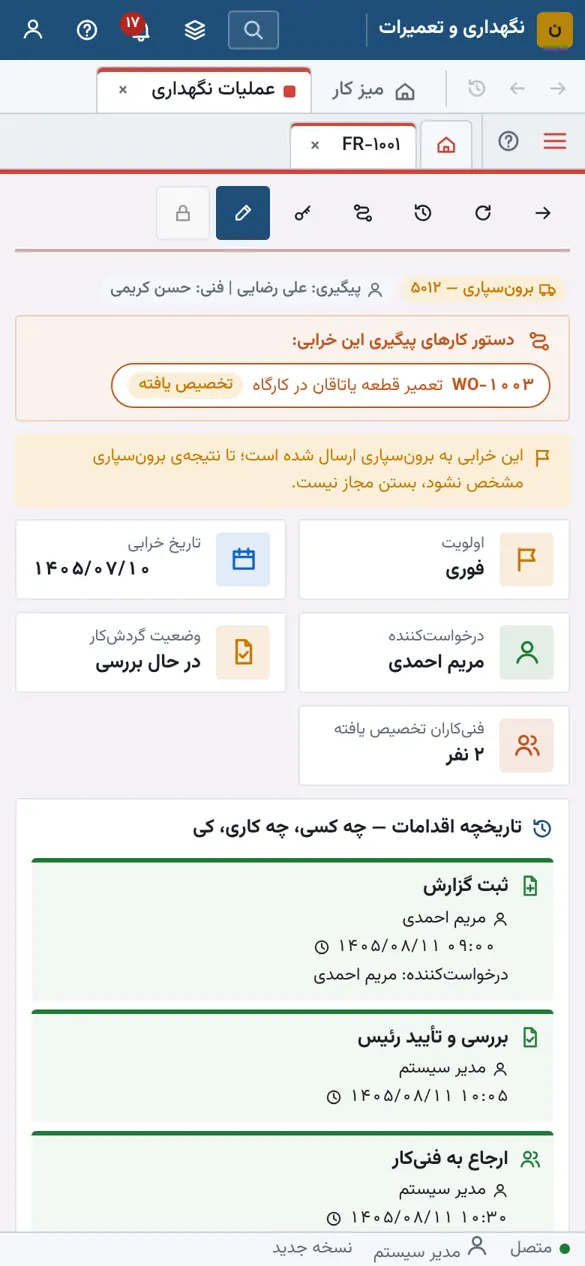
Work order on the phone
PM execution on the phone
Document photo: paper straightened automatically
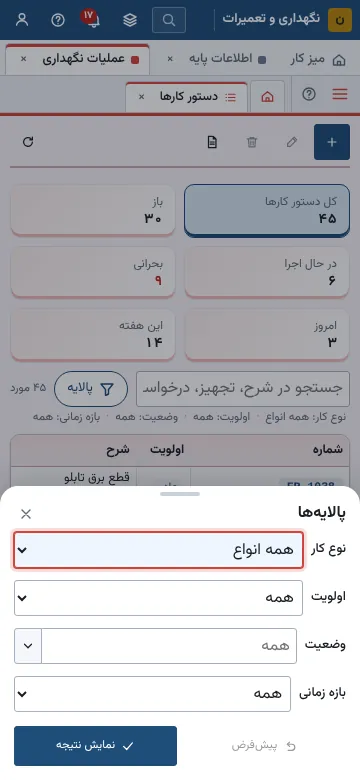
Filters on the phone
Equipment record on the phone
Dashboard on the phone
Dark theme on the phone
Zana CMMS

Plans & pricing

Choose the right edition for your organisation and ask us for an exact price.

Cloud

No server needed; for small and medium sites

Request a quote Yearly subscription
  • Work orders, PM and equipment records
  • Reports, MTTR and dashboard
  • Mobile use and document photos
  • Backups and updates handled by us
  • On-premise installation
  • Zana ERP integration
Request a demo
Recommended

Enterprise

On-premise installation with every module

Request a quote Perpetual licence + yearly support
  • Everything in Cloud
  • Workshop, outsourcing and work permits
  • Event SMS notifications
  • Advanced roles and chart scope
  • Installation, training and data migration
  • Zana ERP integration
Talk to us

Integrated with Zana ERP

Maintenance alongside inventory, assets and accounting

Request a quote
  • Everything in Enterprise
  • Zana CMMS tile on the Zana ERP home page with single sign-on
  • Parts linked to Zana inventory
  • Maintenance costs in accounting
  • 24/7 support
Talk to us
Zana CMMS

Frequently asked questions

How is Zana CMMS different from foreign CMMS products?
Persian and RTL, Solar Hijri calendar, local SMS, mobile-ready, on-premise installation with no dependency on foreign services, Zana ERP integration and on-site support.
What is meter-based PM?
For vehicles, generators and machinery, service is due by recorded kilometres or running hours, not just by date.
Can technicians work without a computer?
Yes. The technician inbox, start and finish, time logging, part requests and PM execution all work on the phone, and the app installs on the home screen.
What happens to users of the previous version?
Both versions run on one server and one database; users choose the classic or the new interface at sign-in and no data moves.
Can reports be printed and exported to Excel?
Yes, every print and export uses Zana Report: PDF, Excel and Word with editable templates and your letterhead.
Articles & news

Related articles

View all

See Zana CMMS in action

We'll arrange an online or on-site demo and review your needs.

Other products

View all
Industry, production & maintenance

Zana Poultry

Complete poultry production: from breeder flock to slaughterhouse and sales

Breeder and layer flocks, hatchery, broiler farming and slaughter and sales in one system: daily statistics, weighing and performance cards, medicine and vaccines, costs and cost of production, management dashboards, comparison with breed standards and a mobile view for farm staff — with an optional link to Zana accounting.

Web, phone and tablet Details
Industry, production & maintenance

Zana Breeders & Hatchery

Breeder and layer flocks, eggs and grading, hatchery and chick sales

Complete management of breeder and layer flocks and the hatchery: daily statistics and production %, hen and rooster weighing, medicine and vaccines, egg intake and grading, egg store, setting batches, setter and hatcher machines, chick orders and sales and cost of production.

Web, phone and tablet Details
Industry, production & maintenance

Zana Broiler Farming

Grow-out batches, daily statistics, FCR and EPEF through to slaughterhouse sales

Broiler farm management from placement to slaughter: daily statistics, weighing and performance cards against the standard, medicine and vaccines, inspections, costs and cost of production, period close, batches ready for slaughter, dispatch and sales and slaughterhouse settlement.

Web, phone and tablet Details